Principal UI Designer full preview

11 UI Designer Resume Examples

OtterCV

Written by The OtterCV Team

Updated: 3/30/2024•8 min read

See all resume examples in this guide, or generate your own resume example with your personalized prompt

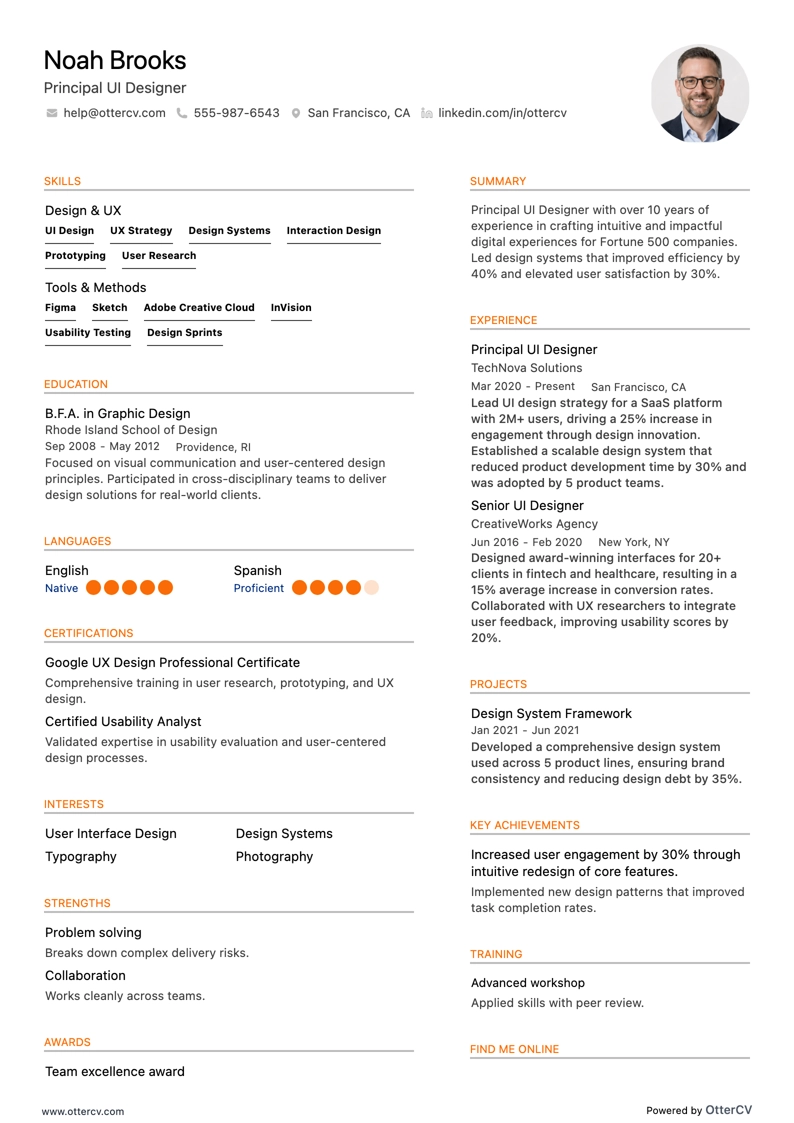
Principal UI Designer resume example

Principal UI Designer

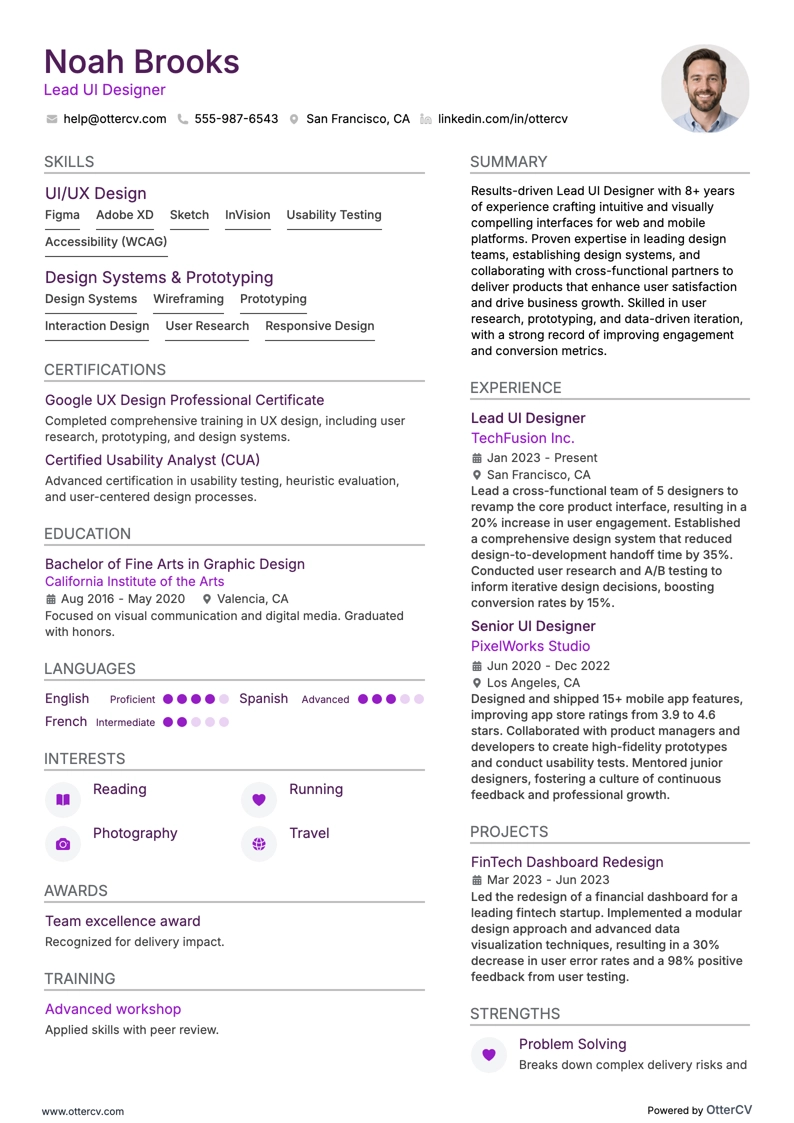
Lead UI Designer resume example

Lead UI Designer

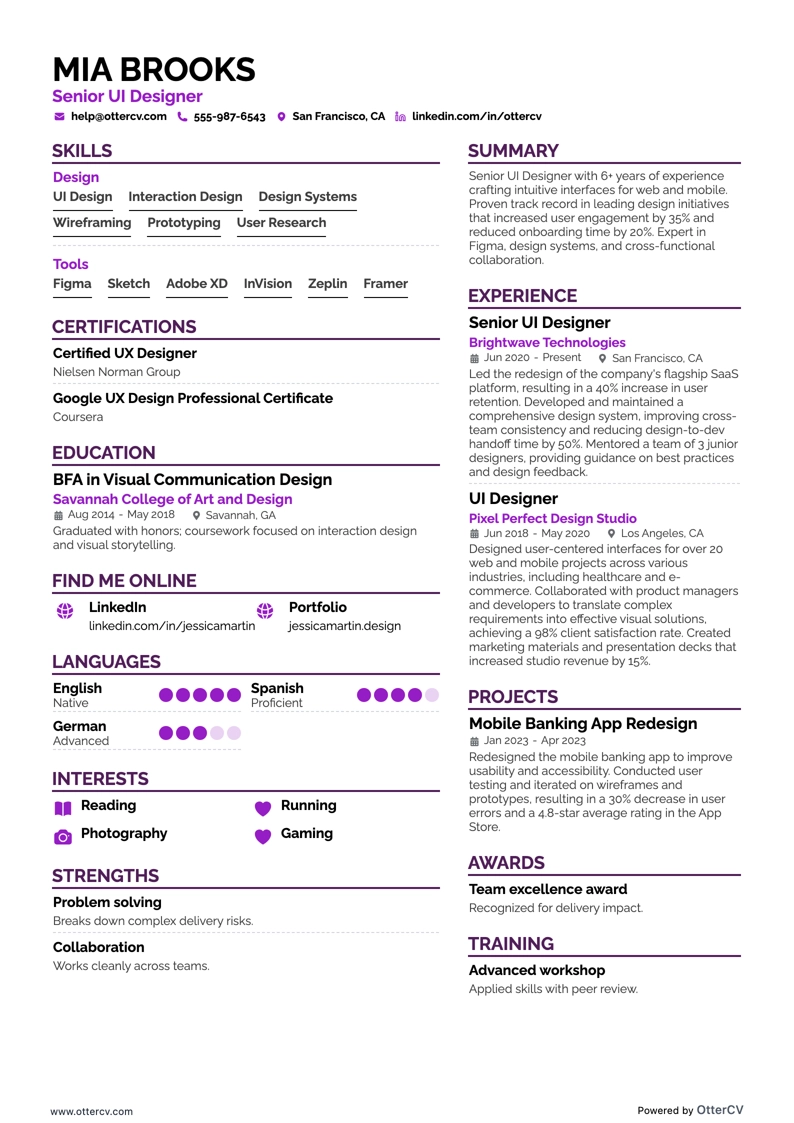
Senior UI Designer resume example

Senior UI Designer

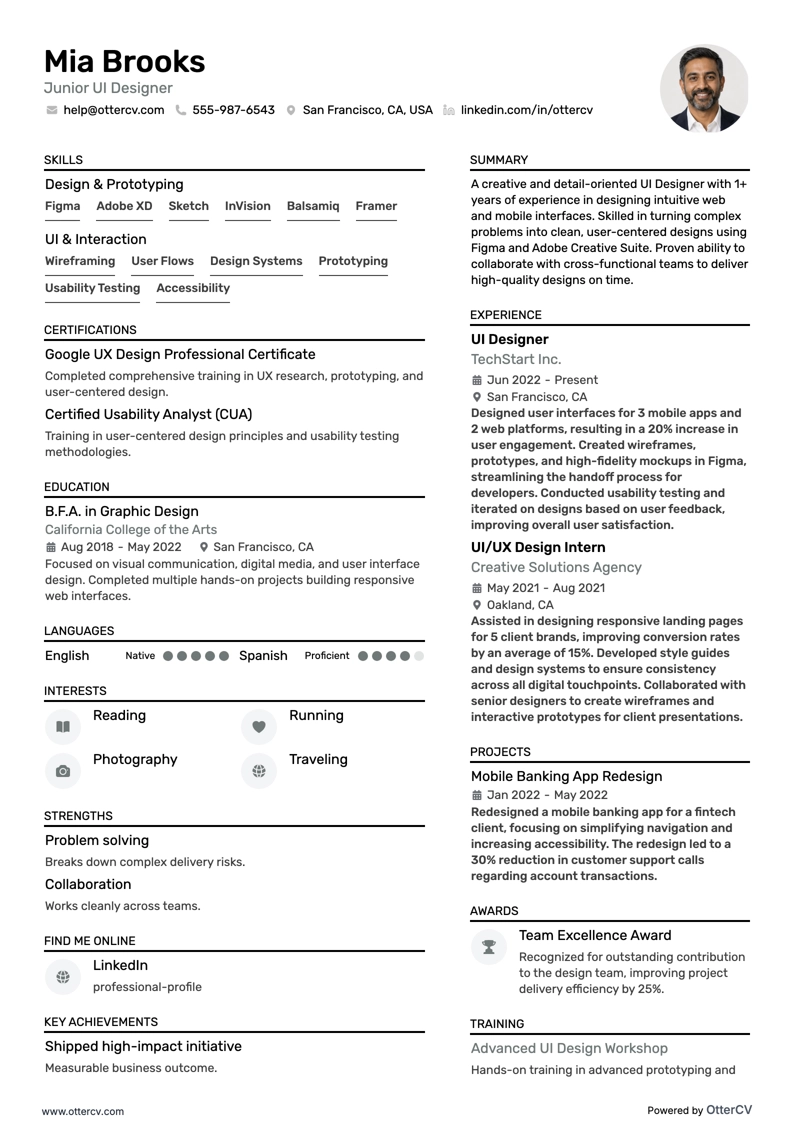
Junior UI Designer resume example

Junior UI Designer

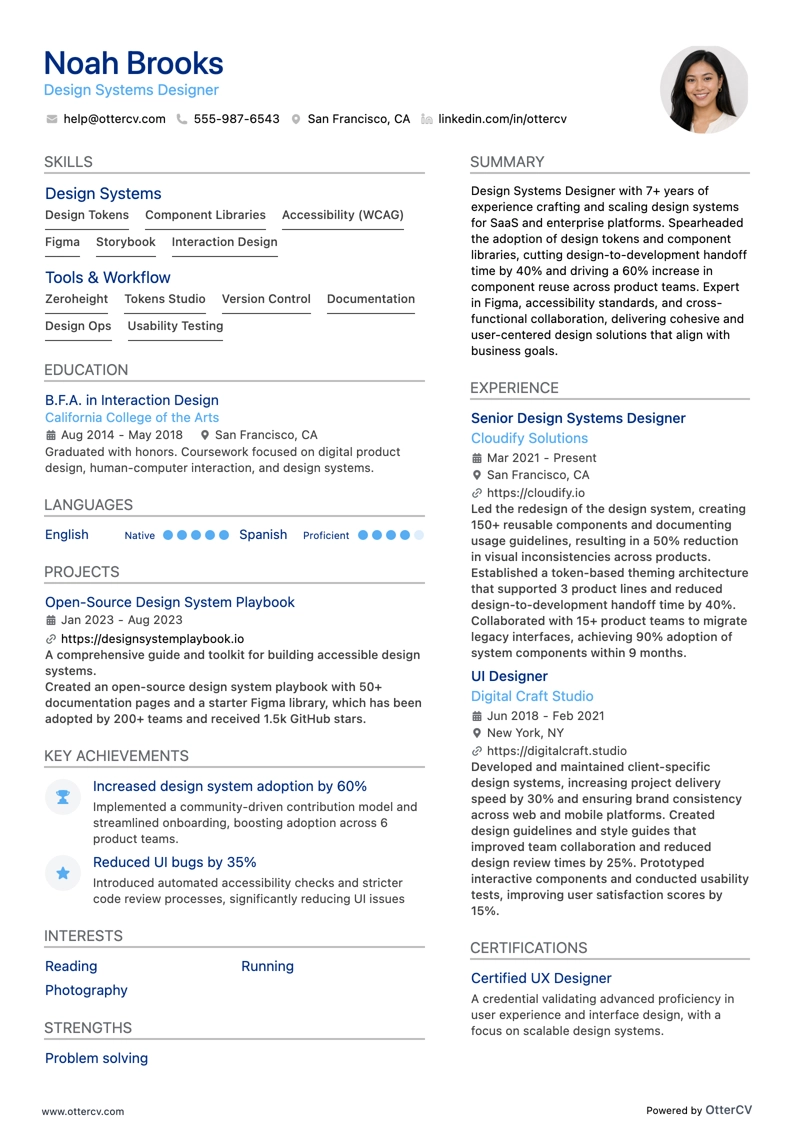
Design Systems Designer resume example

Design Systems Designer

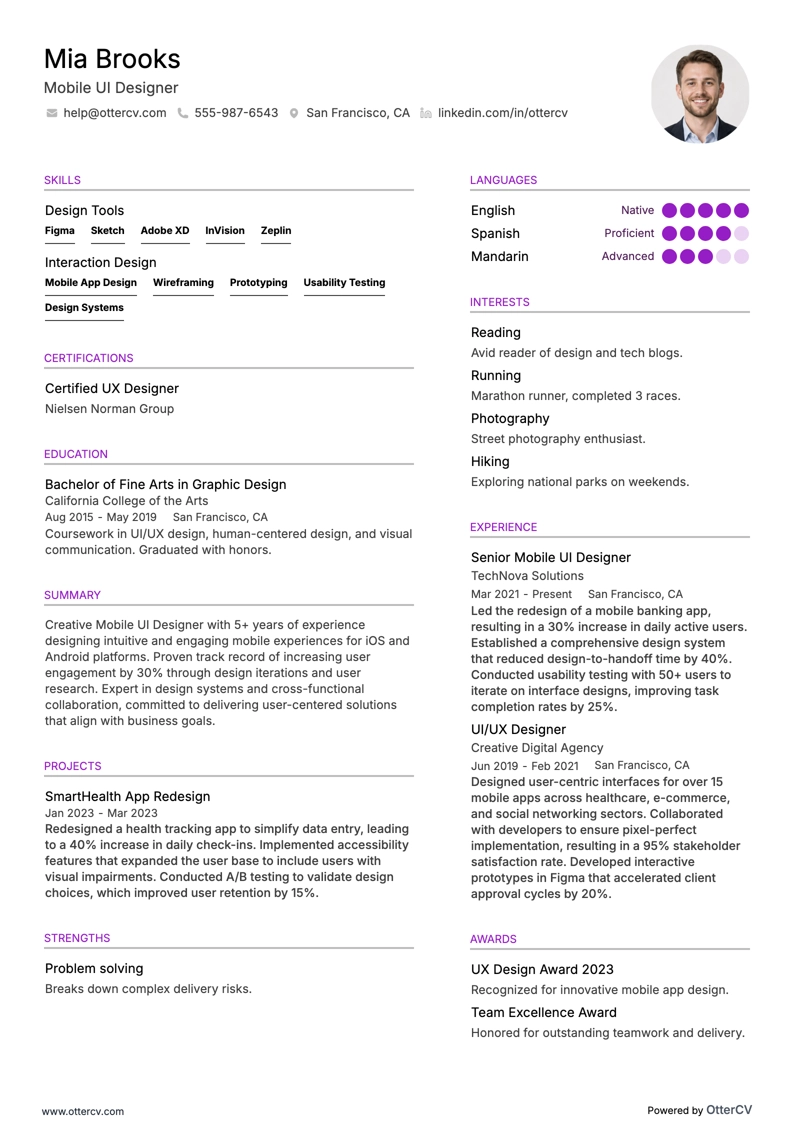
Mobile UI Designer resume example

Mobile UI Designer

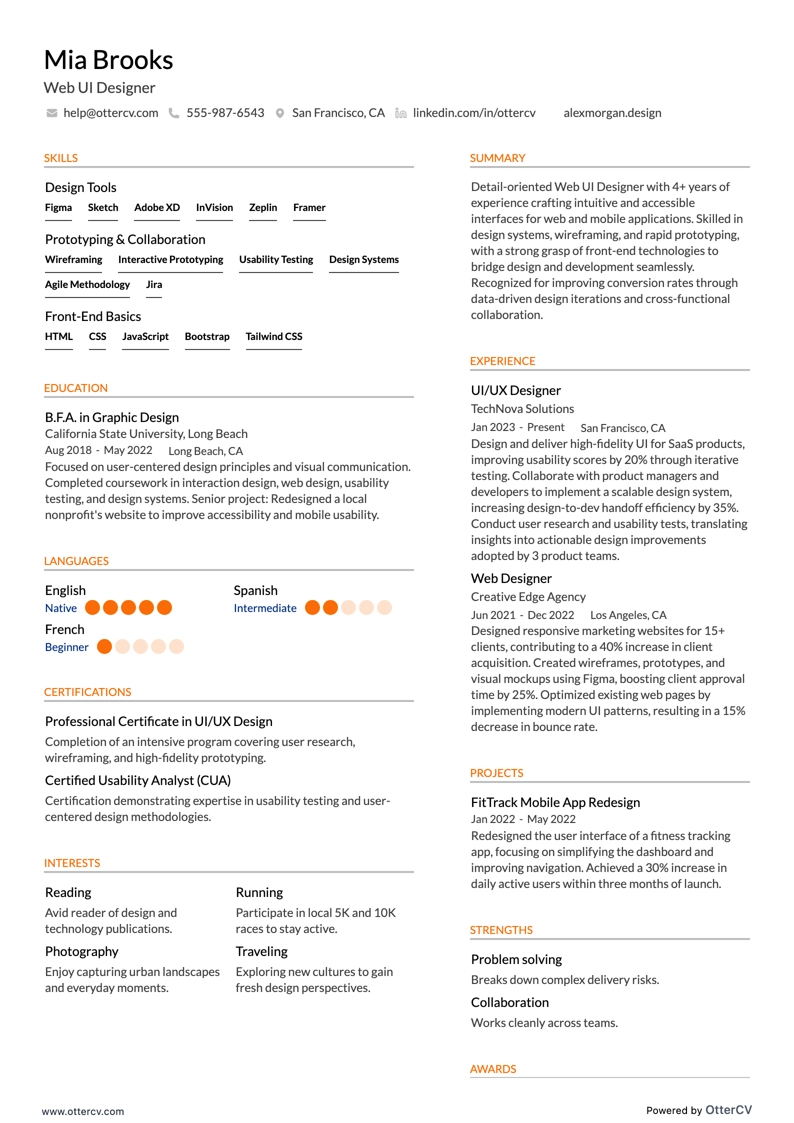
Web UI Designer resume example

Web UI Designer

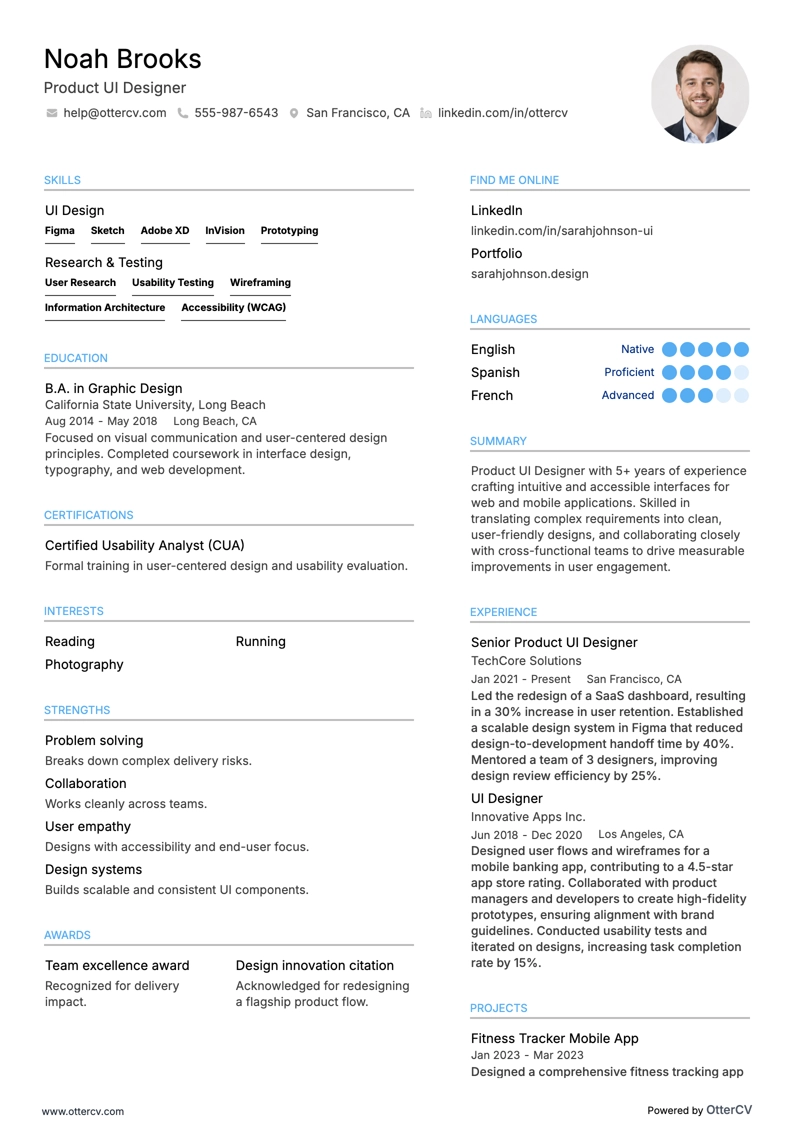
Product UI Designer resume example

Product UI Designer

Creating a standout UI designer resume can be both exciting and challenging. UI design is a fast-evolving field focused on crafting visually appealing, user-friendly digital experiences.

Demand for UI designers has surged by 14% in the last year alone. In addition, the design industry is expected to grow further as more companies recognize the value of exceptional user interfaces.

In a competitive job market, UI designers need resumes that showcase creativity, technical skills, and a clear design process. Understanding the difference between UI and UX roles is also essential. This guide offers practical strategies to help you present your qualifications clearly and avoid confusing recruiters.

Key takeaways

  • Choose the right format: Use a reverse chronological resume format to highlight your UI design experience and career progression.

  • Write a strong summary: Create a focused resume summary that emphasizes your qualifications, design philosophy, and key achievements.

  • Highlight relevant skills: Clearly list both hard and soft skills, including design tools and communication abilities.

  • Quantify achievements: Use metrics to show the impact of your design work.

  • Tailor your resume: Align your skills and experience with the specific requirements of each job application.

  • Detail your education: Include your educational background and relevant certifications to support your UI design qualifications.

  • Showcase projects and internships: If you have limited professional experience, emphasize personal projects, internships, and volunteer work that demonstrate your UI design skills.

Now that you understand the importance of a well-crafted resume, let’s look at how to format your UI designer resume to present your skills and experience effectively.

UI designer resume sample

Here’s a resume example from a candidate targeting a UI job advertisement.

Jennifer Santiago

UI Designer

Jen.Santiago@echocv.com Jen_Santiago@LinkedIn Phoenix, AZ

Summary

Dynamic UI/UX Designer with over 5 years of experience creating compelling user interfaces and experiences across web and mobile platforms, including enterprise SaaS and IoT. Skilled in user research, high-fidelity visual design, and design thinking initiatives. Proven ability to collaborate with cross-functional teams to deliver innovative solutions that improve user satisfaction and support business success. Committed to applying expertise in Sketch, Figma, and Adobe CS to enhance situational awareness tools at Sinnergi.

Experience

Senior UI/UX Designer

TechSolutions, Inc., Phoenix, AZ

11.2022 – Present

  • Lead user research and usability testing to identify and address user needs, increasing customer satisfaction by 30%.
  • Design and iterate on product interfaces using Figma and Sketch, enhancing the user experience for a portfolio of 5+ enterprise SaaS products.
  • Collaborate with engineering and product management teams to align design concepts with technical constraints and business objectives.

UI/UX Designer

Innovatech Designs, Los Angeles, CA

01.2019 - 08.2022

  • Developed user flows, journey maps, and wireframes, turning them into interactive prototypes that improved the usability of mobile and web applications.
  • Conducted and facilitated over 50+ user testing sessions, informing design adjustments that enhanced product usability and interface quality.
  • Worked closely with marketing and sales teams to integrate brand identity into designs, improving brand consistency across all platforms.

Education

Bachelor of Arts in Graphic Design

University of California, Los Angeles

Graduated: 2015

  • Dean's List: Achieved a place on the Dean's List for four consecutive semesters.
  • Capstone Project: Led a team project focused on developing a comprehensive branding solution for a start-up, including web, mobile, and marketing materials.
  • Related Coursework: Advanced User Interface Design, Design Thinking Workshops, Mobile UX Strategies, Web Development Fundamentals.

Certifications

  • Certified User Experience Designer (CXD)
  • Adobe Certified Expert (ACE)

Skills

  • User Research
  • Visual Design
  • Interaction Design
  • Prototyping (Sketch, Figma, Invision)
  • User Testing
  • Design Thinking
  • Cross-functional Collaboration

Languages

  • English (Fluent)
  • Spanish (Intermediate)

How to format a UI designer resume

When choosing a format for your UI application, consider three main resume formats: reverse chronological, functional, and hybrid (combination). In most cases, including this one, the best choice is the chronological format.

This structure lists your work experience from the most recent role backward, making it easier to show your career progression. The reverse chronological format works especially well for UI designers with a strong, continuous work history because it highlights growth and relevant experience.

Additional resume components

Resume design

  • Margins: Maintain 1-inch resume margins on all sides for readability and a clean look.
  • Colors: Use subtle resume colors to highlight sections, and avoid overly bright or distracting choices.
  • Fonts: Use professional, legible fonts like Arial, Calibri, or Rubik. Resume font size should be between 10-12 points for body text and slightly larger for headings.
  • Columns: A two-column resume structure can organize information efficiently, especially in the hybrid format.
  • Length: Keep the resume length to one page, especially if you have less than 10 years of experience. Senior professionals can extend it to two pages if necessary.

Contact information

  • Links: Include links to your professional website, online portfolio, LinkedIn profile, and other relevant social media.
  • Photo: A photo is generally optional and depends on the region. In the US, photos on resumes are usually omitted to avoid bias.
  • Personal information: Clearly state your name, use a professional email address, and provide a current phone number. If you include a physical address on your resume, city and state are sufficient.

ATS compatibility

  • Use standard headings like "Work Experience," "Skills," and "Education" so the resume can be parsed correctly.
  • Avoid complex resume layouts, graphics, and special characters that may confuse ATS software.

Tailor your resume format to the job market. For example, a Canadian resume might differ in layout.

PRO TIP

Some applicant tracking system (ATS) software scans resumes and cover letters to filter and sort applicants based on criteria set by the employer. While this is not a feature found in every ATS, it’s still wise to be prepared with a tailored resume.

File formatting and naming convention

  • File format: If you’re wondering whether to submit your resume in PDF or Word, always choose PDF. It preserves your layout and design across different devices and platforms.
  • Naming convention: Use a clear, professional naming convention such as FirstName_LastName_Resume.pdf.

Top sections in your UI resume

We’ll cover the following sections in the article below:

  • Professional summary to highlight your UI design expertise with a brief overview of relevant experience and skills.
  • Professional experience section to show your work history and achievements in UI.
  • Technical skills and design tools proficiency to demonstrate your expertise in essential UI design software and methodologies.
  • Education in UI/UX design or related fields to present your formal training and qualifications.

By focusing on these elements, you can create a well-structured, visually appealing, and effective UI designer resume that emphasizes your strengths and fits the job you’re applying for.

Want to see how your resume will be read by an ATS? Try our intuitive resume checker tool below.

With the right resume format in place, let’s focus on writing a work history that clearly shows your UI design experience.

How to write your UI designer resume experience

Listing work experience on a UI designer resume is essential because it shows your practical skills, builds credibility, and proves your ability to create impactful designs. It helps employers understand your experience with real-world projects and your ability to collaborate with cross-functional teams.

How to write work experience entries

  • Job title, company (optional, with a short company description), location, and dates: Set the context for your experience.
  • Concise bullet points: Describe your main responsibilities and achievements.
  • Relevant skills and tools: Mention the design software and methodologies you used.
  • Impact highlighted: Quantify results when possible to show the direct impact of your contributions.

Tailoring your resume is important because it makes your experience more relevant to the role and shows that your background matches the employer’s needs. It also demonstrates that you understand the position and the company’s challenges. In UI design, this matters especially because the work depends on understanding both user needs and business goals.

How to tailor your work experience effectively

  • Carefully read the job posting and tailor it to the specific skills and qualifications required. Include those keywords and phrases in your work experience descriptions.
  • Emphasize the parts of your previous roles that align most closely with the new position’s requirements.
  • If you’ve held a variety of roles, focus on the titles and responsibilities that best match the job you’re applying for. That may mean giving more attention to some parts of your experience and less to others.

Below is an example of a UI designer job post that we can use to target a work experience entry. First, take a look at the posting.

UI designer

UI designer

Position Overview: Sinnergi is growing rapidly and is seeking a UI designer to join its team. As a technology company focused on solving critical information awareness challenges for people in harm’s way, Sinnergi develops next-generation situational awareness tools and secure communications without barriers. The ideal candidate is adaptable, innovative, and able to thrive in a fast-paced, complex environment. Sinnergi’s core values are Integrity, Ownership, Delivery Excellence, and Diligence.

Role and Responsibilities

  • Lead user research and testing to understand and visualize key user needs, improving product and UX design.
  • Conduct UI design, create interactive prototypes, and carry out user-validation cycles.
  • Develop high-fidelity UI and visual designs.
  • Guide collaborative design sessions and contribute to information architecture.
  • Turn concepts into user flows, journey maps, and wireframes to create innovative product UI.
  • Collaborate with Product, Engineering, Client Success, and Sales & Marketing teams to execute product roadmaps, conversion strategies, and brand development.

Requirements:

  • Strong communication and interpersonal skills.
  • US citizen.
  • Must pass a background check and drug screening.
  • Successful completion of a background screening, check, or investigation is required as a condition of hire.

Minimum Qualifications:

  • Minimum of 5 years in product design, UI, or UX, preferably in enterprise SaaS, web, mobile, IoT, or wearables.
  • Bachelor’s degree in a design-related field or equivalent work experience.
  • Strong understanding of Design Thinking, user experience, and user empathy.
  • Skilled storyteller and conceptor with multidisciplinary collaboration experience.
  • Ability to articulate design methodology clearly and persuasively across different organizational levels.
  • High proficiency with industry-standard design software, including Sketch, Figma, Adobe CS, Invision, and Balsamiq.
  • Experience designing for web and mobile platforms, including iOS and Android.

Now, look at how we’ve tailored the entry below:

Experience

Lead UI/UX Designer

Digital Innovations, Inc.

02/2020 - ongoing · Seattle, WA

  • User Research and Testing: Led user research initiatives and conducted extensive usability testing to identify critical user needs, significantly improving user satisfaction and interface quality for a major security software suite.
  • UI Design and Prototyping: Designed and developed interactive prototypes for web and mobile applications using Figma and Sketch, streamlining user-validation cycles and improving communication between design and development teams.
  • Collaboration and Leadership: Led cross-functional teams in collaborative design sessions, helping refine information architecture and ensure alignment with strategic product roadmaps.
  • High-Fidelity Designs: Created and implemented high-fidelity designs for advanced situational awareness tools, with a focus on intuitive user experiences and seamless integration across multiple platforms.
  • Stakeholder Engagement: Communicated and negotiated design concepts and methodologies with stakeholders at all organizational levels, ensuring project deliverables met rigorous standards for delivery excellence and innovation.
RIGHT

Here are a few points explaining how the resume was specifically tailored to the job ad:

  • It directly aligns with leading user research and testing to understand and address key user needs, which is essential for improving product and UI design.
  • It matches the job description’s call for creating interactive prototypes and conducting UI design, highlighting the candidate’s ability to handle core responsibilities.
  • It reflects the emphasis on collaboration with Product, Engineering, Client Success, and Sales & Marketing teams, showing experience working with cross-functional partners.
  • It directly corresponds to developing high-fidelity UI and visual designs, demonstrating the candidate’s ability to produce detailed, precise design work.
  • It highlights strong communication skills and the ability to articulate design methodology clearly across various organizational levels, as required in the job description.

How to quantify impact on your resume

Using numbers and results on your resume helps quantify your achievements and gives clear evidence of your impact and effectiveness in previous roles. To do this well, choose metrics tied to meaningful outcomes, such as percentage improvements, revenue growth, or reductions in time and cost that were directly influenced by your work.

Examples of using numbers on a UI designer resume

  • Include the percentage increase in user engagement from your design improvements.

  • Show the specific decrease in user churn after redesigning a key interface.

  • Mention the exact reduction in support tickets caused by your usability enhancements.

  • State the increase in conversion rates from A/B testing different design iterations.

  • Document the decrease in project completion time from your streamlined design process.

If your UI design work experience is limited, you can still show employers your skills and potential in other convincing ways.

How do i write a UI designer resume with no experience

If this is your first time searching for the UI role you have always wanted, do not get discouraged. It is still possible to stand out as an entry-level candidate. Writing a resume without any work experience is achievable when you focus on other parts of your application that demonstrate your ability and potential.

  • Choose a functional or skills-based resume format: This format highlights your skills and education instead of your chronological work history, which makes it a strong option for entry-level applicants or career changers.
  • Highlight relevant coursework: If you have taken design or computer science courses, include them in a dedicated Education section to show your theoretical knowledge.
  • Showcase your projects: Add a Projects section for personal or academic work that demonstrates your UI design skills. Explain the project goal, your role, the tools you used, and any user feedback or outcomes.
  • Include internship or volunteer experience: Even unpaid experience can be valuable. List internships or volunteer work where you used design skills, especially for web or mobile UI design.
  • Feature technical skills: Clearly list the design software and tools you know, such as Adobe Creative Suite, Sketch, Figma, or Invision.
  • Add soft skills: Employers also value transferable skills like problem-solving, teamwork, and communication, so weave them throughout your resume.
  • Incorporate testimonials or references: Positive references on your resume from professors, project supervisors, or clients can help strengthen your credibility.

Objective statement for entry-level UI designers

An objective statement can be especially important on an IT entry-level resume because it clearly communicates your career goals and enthusiasm for entering the field when direct experience is limited.

To write an effective objective statement:

  • Clearly state your professional goals or the type of position you want.
  • Tailor the objective to the specific role and company, showing that your goals align with the employer's needs and reflecting keywords from the job description.
  • Briefly mention the key skills or qualifications that make you a good fit for the role.
  • Highlight how you can contribute to the company and what value you bring to the employer.

Let’s explore what an effective objective statement should look like.

Objective

Enthusiastic and creative recent graduate with a Bachelor's degree in Graphic Design and a certification in User Experience Design, seeking to begin a career as a UI Designer at Skycom. Eager to apply academic training and internship experience in digital design to create innovative user interface solutions that improve user satisfaction and support business success.

RIGHT

Now that you know how to compensate for a lack of formal experience, the next step is to show your skills and demonstrate your capabilities as a UI designer.

How to list your hard and soft skills on your resume

Including a skills section on your resume quickly highlights your core competencies, making it easier for employers to assess your fit for the role. It also helps your technical and interpersonal skills stand out clearly to potential employers.

Hard Skills vs. Soft Skills

Hard skills are specific, teachable abilities that are easy to quantify and directly relate to task execution.

Soft skills refer to a person’s attributes and personality traits that affect how effectively they interact with others and navigate workplace dynamics.

Hard skills

Hard skills on your resume highlight your technical proficiency. Include them in a Skills or Technical Skills section, and align them with the job description to improve relevance and visibility for hiring managers and screening systems.

Here’s a comprehensive list of the most in-demand hard skills for User Interface designers.

Best hard skills for your UI designer resume

  • Sketch is a core UI design tool.
  • Figma is widely used for interface design and collaboration.
  • Adobe XD is a relevant UI design skill.
  • InVision supports prototyping and design workflows.
  • JavaScript is a valuable technical skill for UI designers.
  • Responsive design helps create interfaces that work across screen sizes.
  • Wireframing is essential for planning layouts and user flows.
  • Prototyping is important for testing interface ideas.
  • User interface (UI) design is a foundational hard skill.
  • User experience (UX) design strengthens product usability and flow.
  • Information architecture helps organize content clearly.
  • Usability testing supports better design decisions.
  • Interaction design improves how users engage with interfaces.
  • Design systems help maintain consistency across products.
  • Agile methodologies support collaborative product development.
  • Visual design strengthens the overall look and feel.
  • Typography improves readability and interface clarity.

Soft skills

Now on to your soft skills, often referred to as people or essential skills.

Soft skills demonstrate interpersonal abilities and should be woven throughout your resume—in the summary, objective, work experience, and education sections—to add context and show how you apply them in practice, rather than being listed in a standalone section.

Here are the top essential skills for your next application.

Best soft skills for your UI designer resume

  • Communication helps you explain design ideas clearly.
  • Collaboration supports smooth work with teammates and stakeholders.
  • Problem-solving helps you address design challenges effectively.
  • Creativity strengthens your ability to develop engaging interface solutions.
  • Attention to detail helps you produce polished and consistent designs.
  • Adaptability helps you respond well to changing project needs.
  • Time management supports meeting deadlines and balancing priorities.
  • Empathy helps you better understand user needs and experiences.
  • Critical thinking supports thoughtful design decisions.
  • Active listening helps you understand feedback and requirements.
  • Patience supports careful iteration and collaboration.
  • Open-mindedness helps you consider new ideas and perspectives.
  • Conflict resolution supports productive teamwork.
  • Decision-making helps you move projects forward with confidence.
  • Teamwork is essential for successful design collaboration.
  • Organizational skills help you manage tasks and design assets efficiently.
  • Interpersonal skills support strong professional relationships.
  • Multitasking helps you manage multiple responsibilities at once.
  • Negotiation skills help you align design goals with project needs.

Now that your hard and soft skills are clearly presented, the next step is to strengthen your resume by outlining your educational background.

How to list your education and certification on your resume

Detailing your education on your resume and including certificates helps validate your qualifications and expertise. It also boosts your credibility and shows your commitment to professional development.

Elements of an education entry

  • Degree and major: Specify your degree and major or minor to show formal training relevant to UI design.
  • Institution name: Listing where you studied adds credibility and may help create alumni connections during the hiring process.
  • Graduation year: This shows when you completed your studies. If you’re a recent graduate, consider including the month as well.
  • Relevant coursework: Courses related to UI design can highlight specific skills and knowledge areas that apply directly to the job.
  • Academic honors: This highlights achievements such as Dean’s list, which can suggest diligence and excellence in your studies.
  • Grade Point Average (GPA): Share your GPA only if it’s above 3.5. This can demonstrate strong academic performance and work ethic.

Next, let’s look at a proper example of an education entry tailored to the same job ad mentioned earlier in the article.

Education

Bachelor of Science in Graphic Design
University of California
2018 · Los Angeles, CA
GPA: 3.8 / 4.0

  • Honors: Cum Laude, Dean’s list for 7 semesters
  • Relevant Coursework: Advanced Interface Design, Digital Prototyping, User-Centered Design Principles
RIGHT

Here are the things this candidate did well:

  • Clearly states a directly relevant degree, showing formal training for the UI/UX field.
  • Lists coursework that matches responsibilities in the job posting, including user research and UI design.
  • Includes a high GPA, which demonstrates academic excellence, strong work ethic, and dedication.
  • Mentions graduating Cum Laude and making the Dean's List, further highlighting academic achievement and commitment to excellence.

Certification

Some people combine resume certifications with education, but that approach is worth reconsidering. Certificates are an important part of a UI designer's profile, so giving them a separate section can be a smart choice.

They show ongoing professional development and specialized skills. A dedicated section also makes these qualifications easier to notice and appreciate.

Here are the top five certificates that every UI designer needs to have.

Best certifications for your UI designer resume

With your educational background clearly outlined, the next step is to write a compelling resume summary that captures your professional identity as a UI designer.

How to write your UI designer resume summary

The resume summary is a key part of a UI designer's resume. It works as a concise introduction that highlights your most relevant qualifications, design philosophy, and professional achievements. Its purpose is to quickly capture a hiring manager's attention by presenting the strongest parts of your background.

Elements to include

  • Mention how many years you have worked in UI/UX design to establish your level of expertise.
  • Highlight the skills most relevant to the role, such as design software proficiency, user research, or responsive design experience.
  • Quantify your achievements when possible to show clear evidence of your impact.
  • Briefly describe your approach to UI design to convey your style and preferred methods.
  • Tailor your summary to match the language and requirements of the job posting, showing why your background fits the role.

A focused and engaging resume summary helps position you as a strong candidate from the start.

The following example targets the job ad above.

Summary

Seasoned UI Designer with over 6 years of experience creating intuitive, high-impact user interfaces for enterprise SaaS, web, and mobile platforms. Skilled in leading user research and testing to deliver designs that improve user engagement and situational awareness. Proficient in industry-standard tools including Sketch, Figma, and Adobe Creative Suite for developing high-fidelity visual designs and interactive prototypes. Brings strong communication skills and collaborates effectively across multidisciplinary teams to achieve strategic goals. Committed to driving innovation and excellence in alignment with Sinnergi’s core values of integrity and diligence.

RIGHT

This summary is tailored to the job ad by highlighting the candidate's relevant experience, skills, and alignment with the company's values and requirements.

Below are optional resume sections that can help you further present your skills, projects, and experience.

Additional sections for a UI designer resume

Optional sections in a UI designer resume can showcase a wider range of skills and experiences, helping you stand out by reflecting more distinctive parts of your professional background.

Top additions to consider include:

  • Professional portfolio: Demonstrates your design ability and your skill in creating visually appealing, functional interfaces.
  • Projects on your resume: Highlights specific projects you have worked on, including your role and the outcomes, to show practical applications of your skills.
  • Professional affiliations: Shows your involvement in the design community, which can strengthen your credibility and reflect continued professional growth.
  • Resume awards: Lists industry or academic awards you have received, emphasizing excellence and recognition in UI design.
  • Hobbies and interests: Reveals your personality and can suggest a well-rounded profile, potentially connecting personal interests with design trends and innovation.
  • Language skills: Shows your ability to communicate in multiple languages, which is valuable for diverse teams and global projects.

In conclusion

This guide provides strategic insights for building a standout UI designer resume and improving your chances of getting noticed by hiring managers. By clearly presenting your skills, experience, and unique strengths, you can position yourself for the next step in your career.

UI Designer resume examples

Explore additional UI Designer resume samples and guides and see what works for your level of experience or role.

By Experience

Principal UI Designer

Principal UI Designer resume preview

Lead UI Designer

Lead UI Designer resume preview

Senior UI Designer

Senior UI Designer resume preview

Junior UI Designer

Junior UI Designer resume preview

UI Designer resume examples

Explore additional UI Designer resume samples and guides and see what works for your level of experience or role.

By Role

Design Systems Designer

Design Systems Designer resume preview

Mobile UI Designer

Mobile UI Designer resume preview

Web UI Designer

Web UI Designer resume preview

Product UI Designer

Product UI Designer resume preview