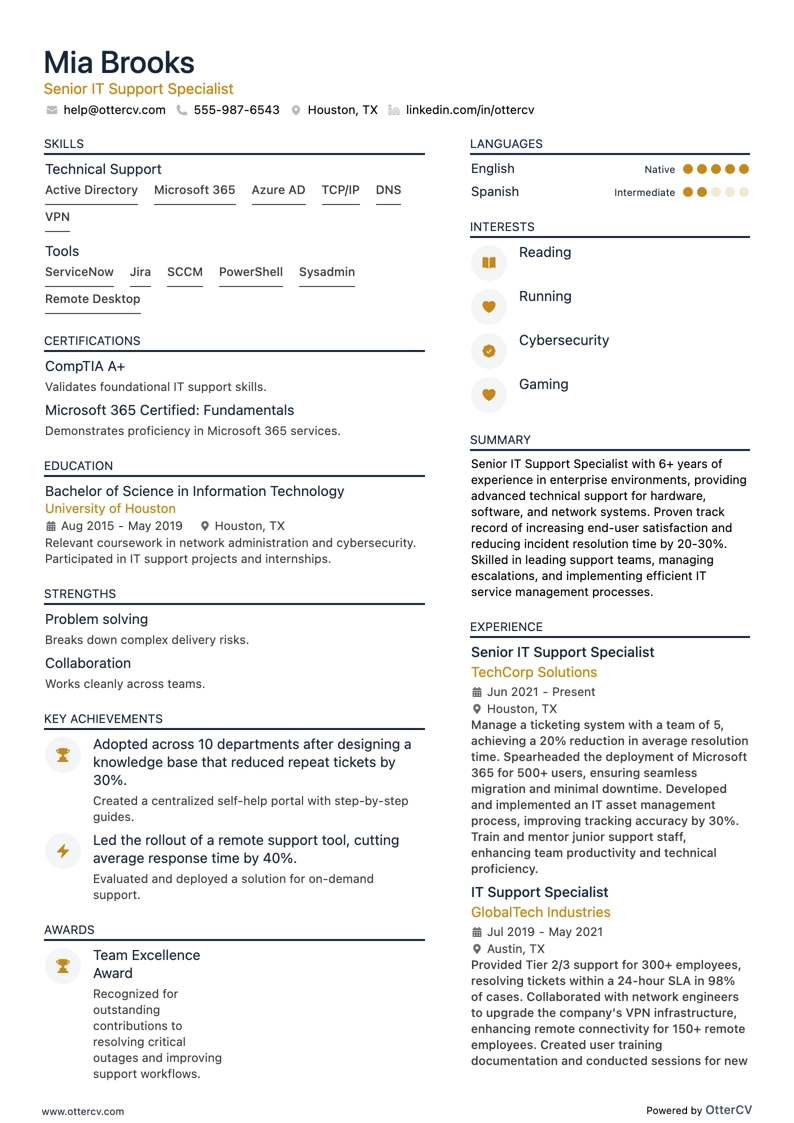
Senior IT Support Specialist full preview

25 IT Support Resume Examples

OtterCV

Written by The OtterCV Team

Updated: 1/15/2025•8 min read

See all resume examples in this guide, or generate your own resume example with your personalized prompt

Senior IT Support Specialist resume example

Senior IT Support Specialist

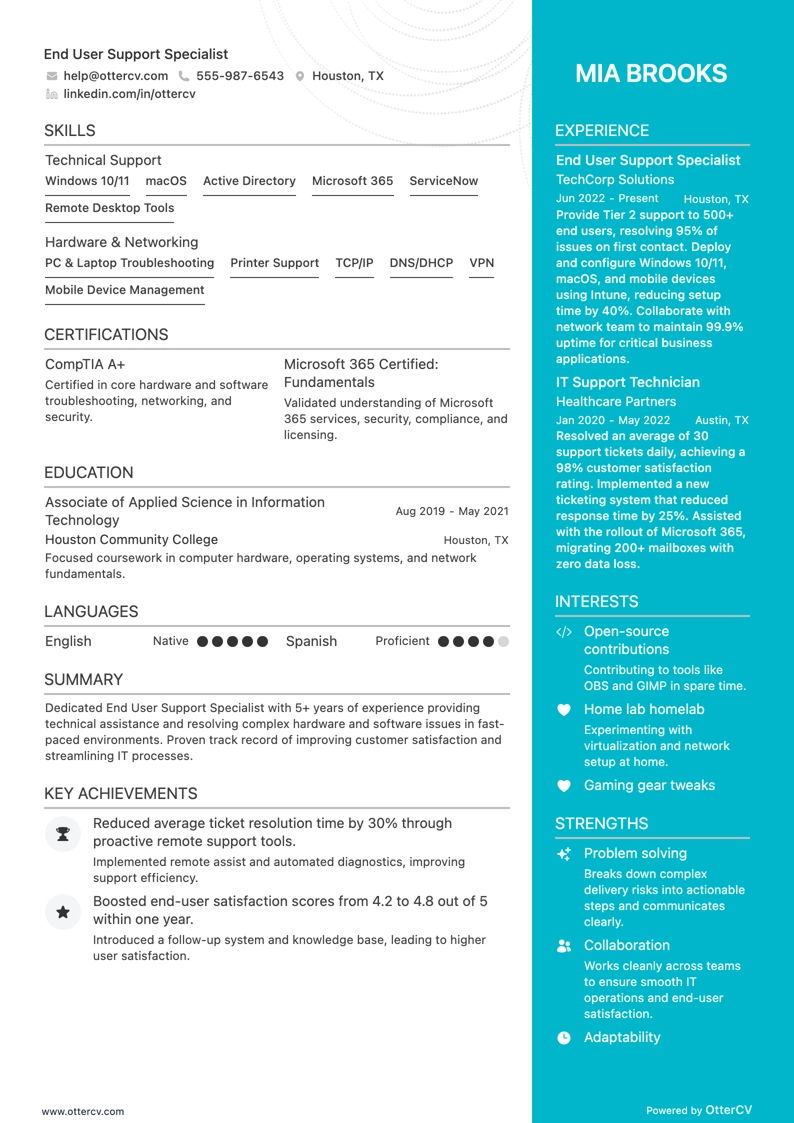
End User Support Specialist resume example

End User Support Specialist

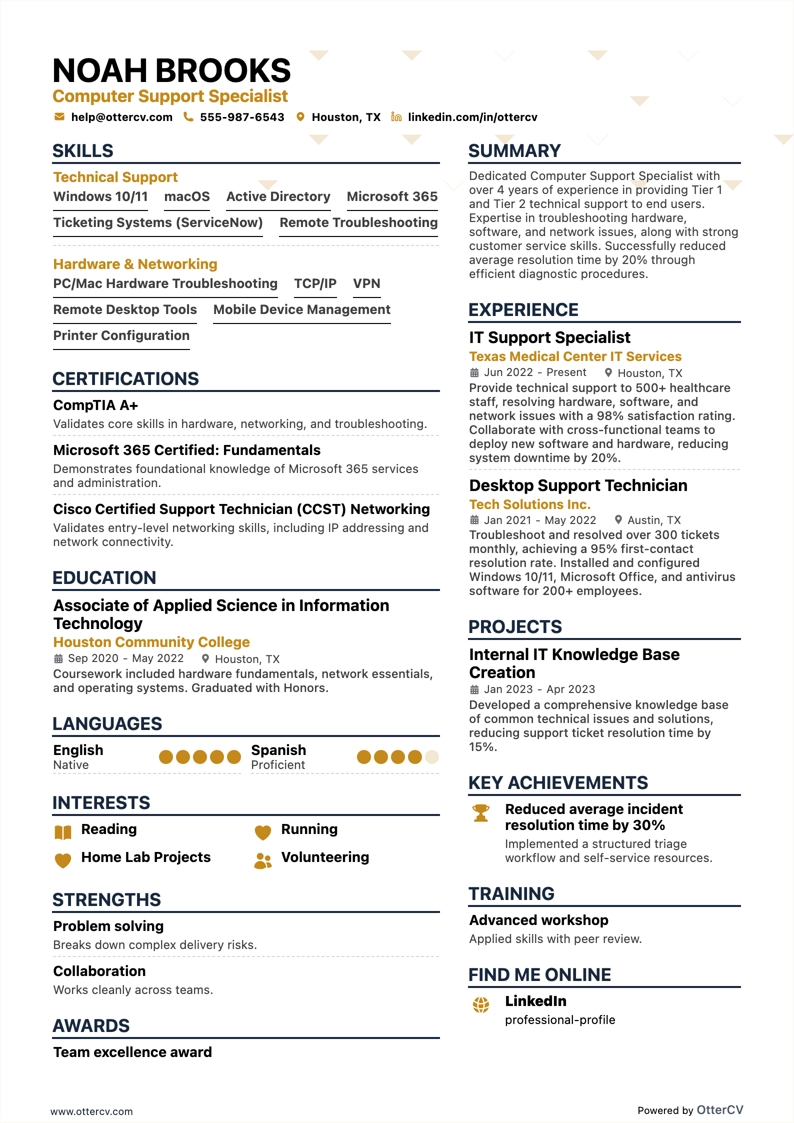
Computer Support Specialist resume example

Computer Support Specialist

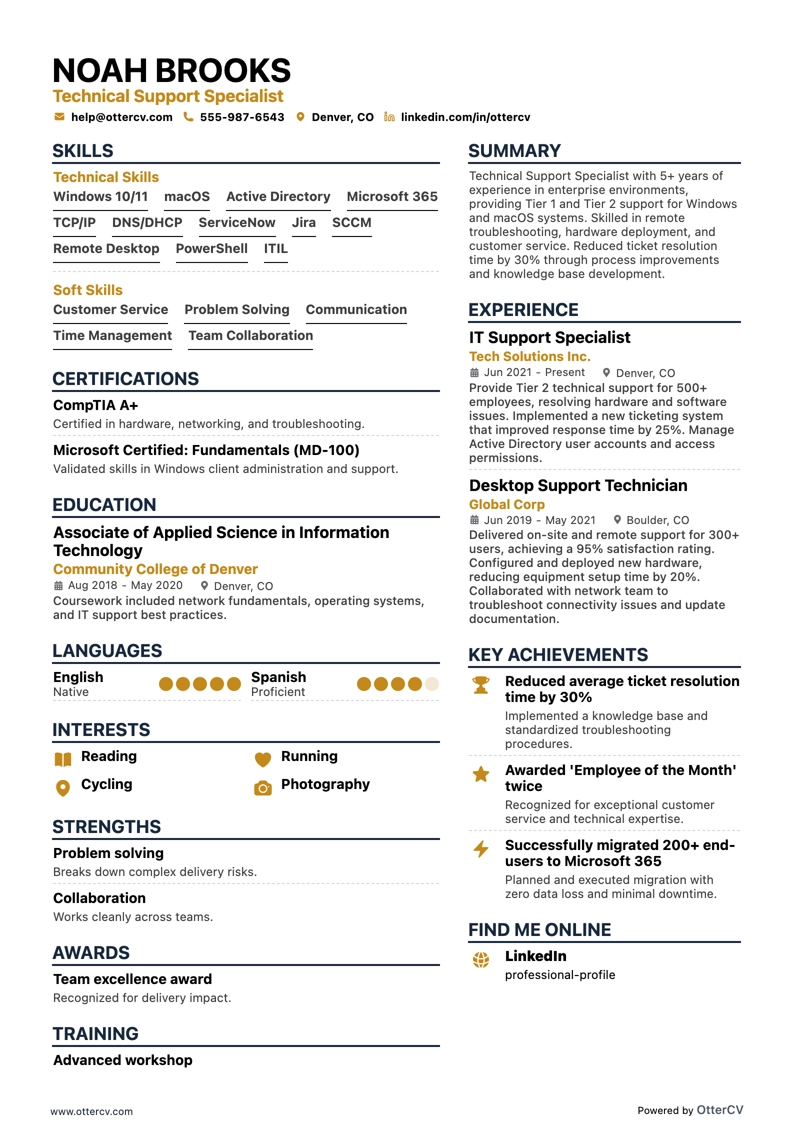
Technical Support Specialist resume example

Technical Support Specialist

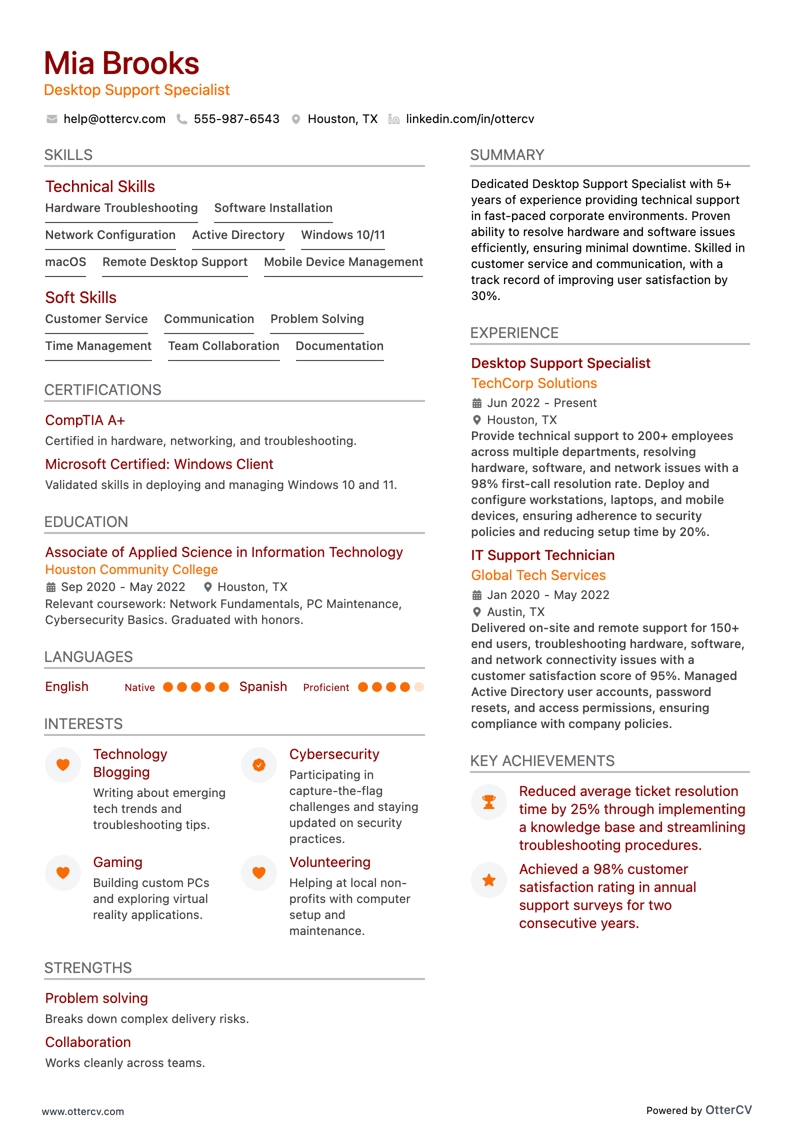
Desktop Support Specialist resume example

Desktop Support Specialist

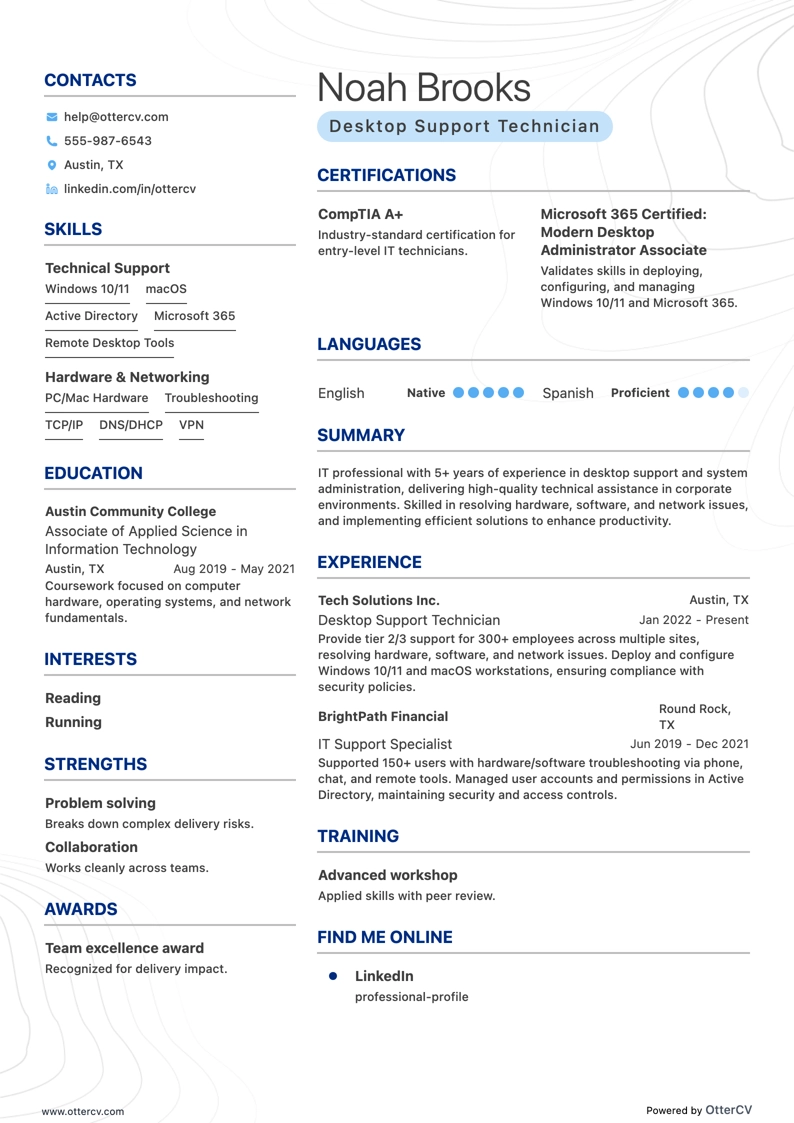
Desktop Support Technician resume example

Desktop Support Technician

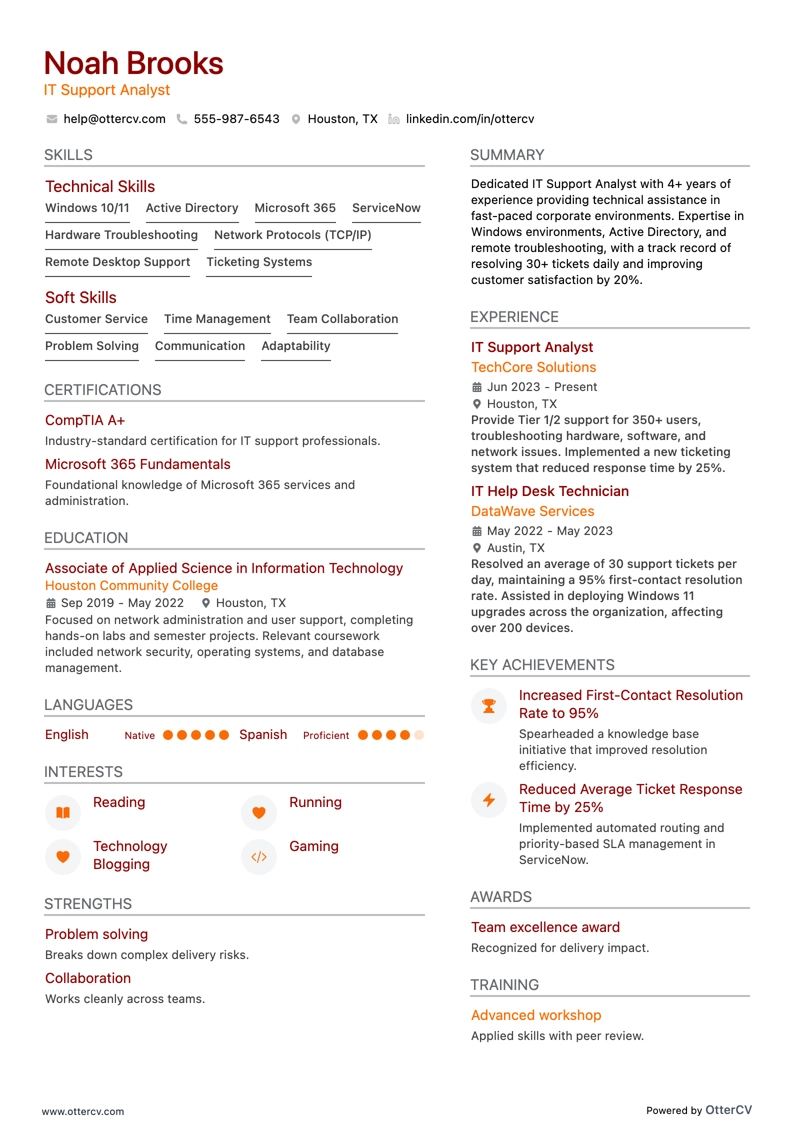
IT Support Analyst resume example

IT Support Analyst

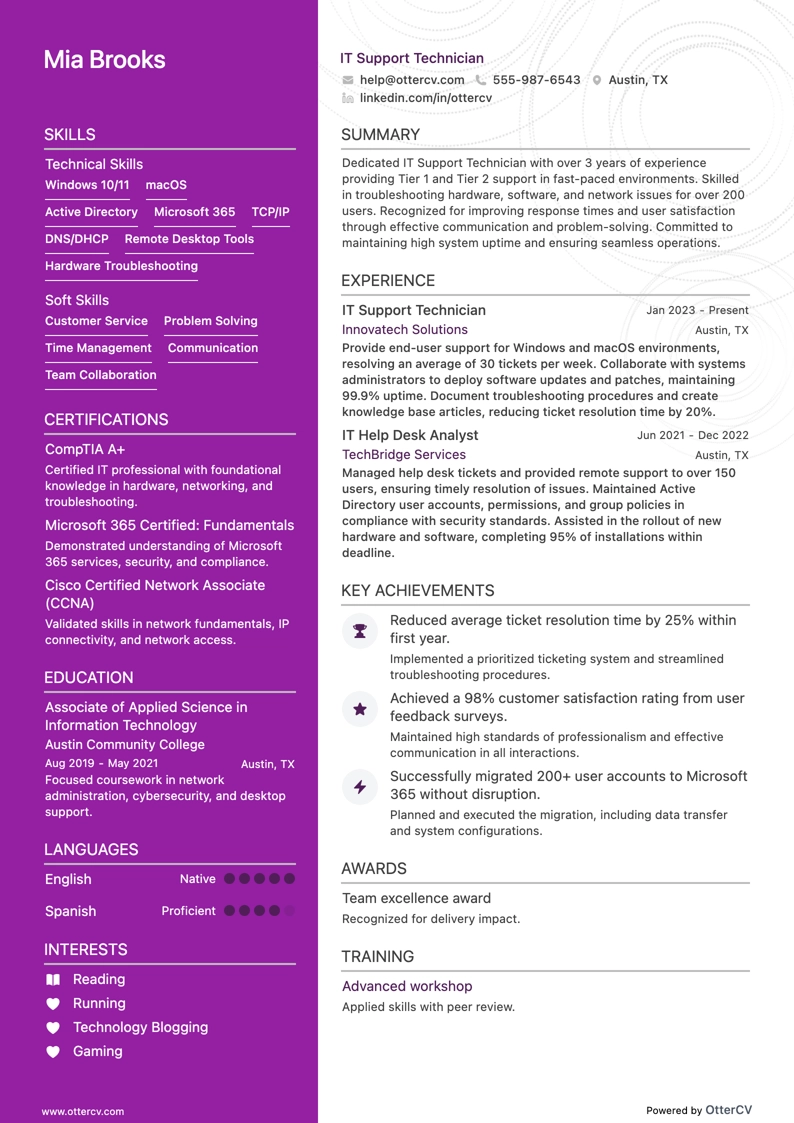
IT Support Technician resume example

IT Support Technician

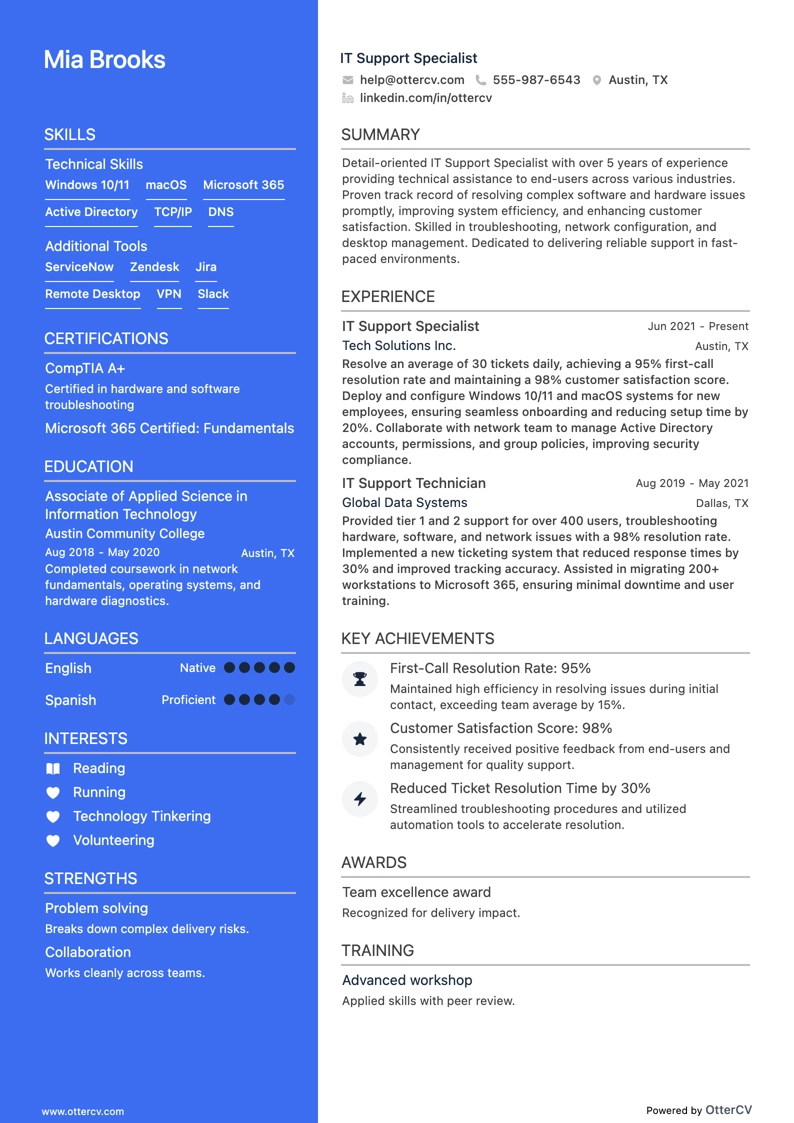
IT Support Specialist resume example

IT Support Specialist

Many professionals were affected by the 2026 tech layoffs. Still, current trends show cutbacks are slowing down, which suggests new job opportunities will begin to appear. With them, however, comes stronger competition.

So, is your IT support Specialist resume ready?

Keep reading to learn how to:

  • Build a strong resume, even if you have limited industry experience
  • Present your skills clearly and write a convincing resume summary
  • Review real IT support Specialist resume examples to improve your writing

Not sure this is the right guide for you? Explore other roles we can help you with:

IT support resume example

Senior IT Support Specialist resume preview

Here’s what this applicant does well in their resume:

  • Emphasizing career progression and leadership skills: The applicant shows clear professional growth and improved team efficiency by 10% while leading a team of five. This kind of experience is especially valuable for mid-level and senior management roles.
  • Demonstrating efficiency improvement through quantifiable achievements: The candidate highlights a 20% increase in overall productivity, showing measurable impact and the ability to support a future employer.
  • Highlighting technical support and problem-solving skills: The resume shows strong troubleshooting ability by featuring relevant accomplishments across previously held positions.

How to format an IT support resume

The hiring climate in the tech sector is tough, so building an outstanding resume is one of the best ways to get noticed. To do that, describe your expertise as clearly and directly as possible.

Be selective about the experience you include and how you present it. To create a polished overview of your work history and skills, follow these resume writing best practices:

  • Choose the reverse-chronological resume format: As in the example above, showing continuous professional development is important in tech, especially if you’re targeting a senior role.
  • Include your GitHub in the resume header: Recruiters see this section first, so use it to link to a portfolio that showcases the tech solutions you’ve built.
  • Start your resume with a memorable resume summary: Include some of your strongest professional success stories to encourage recruiters to spend more than 2 seconds reviewing your application.
  • Use a simple, but effective font: Improve your IT support Specialist resume’s readability with a font such as Lato or Raleway.
  • Avoid going over two pages: No matter how much experience you have, focus only on information the company will care about.
  • Save your resume as a PDF file: If you’re concerned about Applicant Tracking Systems (ATS), PDFs are easily scanned by ATS software.

Tailor your resume format to the job market. For example, a Canadian resume might differ in layout.

A strong resume outline also needs clear separation between sections. Below are the sections that matter most to hiring managers:

The top sections on an IT support resume:

  • Technical skills: Show your proficiency with the IT support tools and software the company uses, not just selected cloud services and mobile applications.
  • Professional experience: Highlight the breadth of your hands-on expertise and the types of issues you can resolve.
  • Certifications: Include relevant IT qualifications and credentials you have earned.
  • Educational background: Describe your formal training in Information Technology.
  • Problem-solving examples: Demonstrate the impact of your technical solutions with relevant examples of your work.

What recruiters want to see on your resume:

  • In-depth technical skills matter, but it is even more important to be well-versed in the software your potential employer uses.
  • Relevant certifications show that you are trained in specific IT areas and familiar with the latest versions of the tools the company uses.
  • Problem-solving abilities help demonstrate that you can think on your feet and do thorough research when new issues arise.
  • Experience with diverse technologies shows that you are adaptable, current, and continuously expanding your knowledge of different tools.
  • Strong communication skills are essential in IT support roles for understanding and resolving user issues and working with team members.

How to write your IT support resume experience

The experience section is the most important part of your resume. It should show your professional achievements with clear examples.

A common mistake IT support specialists make is using too much technical jargon. Recruiters may recognize certain software and platforms, but they are not expected to understand every technical detail. When you mention tools or languages you know, explain how you used them and what results you achieved.

Keep the focus on outcomes. Employers want to see how your work will benefit their business, so shape your experience around what the company is trying to achieve.

To make this section compelling, each entry should build on the one before it. Be selective about which experiences you include, and tailor them to the job ad. If everything does not fit on your resume, that is fine—you can save some details for your cover letter.

Avoid common resume buzzwords, since they add filler without showing what you can actually do. Instead, start each entry with an action verb, describe the challenge you addressed, and explain the results.

Have a look at the example below:

Experience

Senior IT Specialist

High Tech Industries Ltd.
07/2019 - 10/2021

  • Reduced production errors by 15%.
  • Found better software solutions for the production department.
  • Increased production output.
WRONG

In an effort to be concise, Takeshi has made a few mistakes.

The first is not including a description or website for his previous employer. Many companies have similar-sounding names, so it is best practice to provide at least a link to the employer’s website.

This helps hiring managers understand the scope of the company’s business operations and how your work fit within them.

Another issue is the bullet point descriptions. Fujino has tried to highlight some of his technical accomplishments at High Tech Industries Ltd., but he has missed the mark on how to present them effectively.

Like so:

Experience

Production Department Senior IT Support Specialist

High Tech Industries Ltd.

07/2019 - 10/2021 · Washington, DC

www.example.com

An innovative smart home technology and gadgets manufacturer.

  • Reduced production errors by 15% through on-site visits and staff training on best practices for using company equipment.
  • Cut tech costs by $70 million by renegotiating existing vendor contracts and identifying better software solutions for the production department.
  • Increased production output by 88% by optimizing production line processes and using system downtime to organize other processes.
RIGHT

Now recruiters will be certain that Takeshi is the candidate they were searching for!

How to quantify the impact on your resume

We talk a lot about results because they are key to a successful resume. Being able to measure your achievements shows that you understand the impact of your work and that you are goal-oriented.

Some measurable achievements you can add include:

  • The number of tickets you’ve handled daily to demonstrate time and workload management.
  • The size and scope of the networks and systems you’ve managed to illustrate the scale of your technical capabilities.
  • The number of side projects you’ve completed to showcase your versatile skill set and inquisitive nature.
  • The number of projects you’ve spearheaded or led to highlight your leadership and project management skills.
  • The number of staff or new colleagues you’ve mentored to emphasize your ability to mentor and work in a team.
  • The amount of project time you’ve saved the company to draw attention to your ability to optimize systems and find better solutions.
  • The percentage of satisfied customers you’ve helped to prove you’re also proficient in customer service.
  • The amount of money you’ve saved the company through hardware and software recommendations to outline your industry and tech knowledge.
  • The number of certificates you’ve earned while working for your past employer to demonstrate your willingness to keep improving your abilities.
  • The number of conferences you’ve presented at to emphasize your communication and explanation skills.
  • The amount of funds you’ve saved for your past employer to prove you’re good at budgeting and contributing to the business’s financial efficiency.
  • The percentage of downtime reduced to highlight your impact on improving system reliability.

How do I write an IT support resume with no experience

If you’re building an entry-level IT support Specialist resume, you can still create a strong one even if you lack relevant experience.

Focus on your transferable skills and your ability to learn new skills quickly.

Don’t forget to:

  • Be honest about what you do and don’t know. Companies appreciate candidates who can admit they don’t know everything.
  • Show that you’re willing to adapt to your future employer’s work style and do research when needed.
  • Mention any transferable technical and social talents you can offer, such as contract negotiations or vendor relations.
  • Include an extra section if you’ve completed any relevant side projects or courses. We’ll cover that later in the article.

Remember, companies and recruiters are rarely familiar with the small details of your duties and responsibilities. But if you show that you’re motivated to do the work, you’re on the right path.

How to list your hard skills and soft skills on your resume

Recent developments in the tech industry have been heavily influenced by both the pandemic and the rise of AI.

As work shifted to remote offices and home setups, IT support specialists had to focus even more on reliability and security.

At the same time, many professionals found themselves redundant once large language models such as ChatGPT emerged.

As a result, competition now includes not only people who are out of work, but also employed professionals who are preparing in case they need to look for a new role.

This means you need to present a versatile mix of hard and soft skills if you want your resume to succeed.

Hard skills are the tools and platforms you use as an IT support Specialist in your daily work. When listing them on your resume, keep these points in mind:

  • Reflect the requirements of the job ad.
  • List the tools and languages you’re most comfortable being interviewed in first.
  • Use the same spelling as the job ad. This will help you pass Applicant Tracking System (ATS) tests.

Before you start building your skills section, review your resume summary and work history again. You’ve likely already shown how you’ve applied some of your technical skills.

To make your IT support resume more well-rounded, highlight a few of your soft skills. Today, IT professionals are often doubling as emotional counselors as well.

When listing soft skills:

  • Consider your main job responsibilities and whether you’re more likely to support colleagues or customers.
  • List the soft skills you have to offer.
  • Use the same approach you used to quantify your other achievements to outline your strongest social talents.

With all this in mind, we’ve compiled two lists of the tech and soft skills currently in demand.
Best hard skills for your IT support resume

  • Network troubleshooting is a core IT support skill.
  • Hardware installation and repair shows hands-on technical ability.
  • Operating systems knowledge should include Windows, macOS, and Linux.
  • Server management is valuable for many IT support roles.
  • Database administration can strengthen your technical background.
  • Virtualization technologies such as VMware and Hyper-V are useful to include.
  • Cloud services experience may include AWS, Azure, and Google Cloud.
  • Cybersecurity practices are important for protecting systems and users.
  • Remote desktop support is a common requirement in IT support.
  • Scripting languages such as Python and PowerShell can improve efficiency.
  • Software deployment is a practical skill for supporting business systems.
  • Data backup and recovery demonstrates reliability and risk awareness.
  • Mobile device management is relevant for modern workplace support.
  • VoIP systems experience can support communication infrastructure.
  • Helpdesk ticketing systems show familiarity with support workflows.
  • Network security protocols are important for secure system access.
  • Firewall administration highlights security-focused technical skills.
  • Performance monitoring tools help identify and resolve issues quickly.
  • Patch management shows you can keep systems updated and secure.
  • Email systems knowledge may include Exchange and Office 365.

Best soft skills for your IT support resume

  • Problem-solving helps you identify issues and find effective solutions.
  • Communication helps you explain technical information clearly.
  • Customer service shows your ability to support users professionally.
  • Adaptability helps you adjust to changing tools, systems, and priorities.
  • Teamwork shows you can work well with colleagues and other departments.
  • Patience helps you assist users calmly and effectively.
  • Critical thinking supports better troubleshooting and decision-making.
  • Time management helps you handle tasks efficiently.
  • Empathy shows that you understand user concerns and frustrations.
  • Stress management helps you stay effective under pressure.
  • Attention to detail helps you catch small but important issues.
  • Active listening helps you understand problems accurately.
  • Initiative shows that you can act without constant direction.
  • Analytical thinking helps you break down complex problems.
  • Interpersonal skills help you build positive working relationships.
  • Conflict resolution helps you handle difficult situations professionally.
  • Multitasking helps you manage multiple support requests.
  • Organizational skills help you keep work structured and priorities clear.
  • Resilience helps you recover quickly from setbacks.
  • Continuous learning shows your willingness to keep improving.

How to list your certifications and education on your resume

Certifications are one of the clearest ways to show that your technical skills are up to standard. In some cases, they can matter even more than a traditional Computer Science background, especially for candidates with limited hands-on experience who want to compete for IT support roles.

But a certificate or diploma only helps if you present it correctly on your resume.

If you have extensive work history, leave out your high school diploma from the education section and go back only as far as your Bachelor's degree. Include:

  • The name of your degree
  • The name of your college or university
  • The date you earned the degree, or your expected completion date if you are still studying
  • Any degree-related projects

If you're changing careers or have recently graduated, add a few more details:

  • Your GPA, if it is above 3.5
  • Relevant majors or minors you have completed
  • Any IT-related hackathons or competitions you have taken part in

Place the education section near the top of your resume.

We’ve prepared a handy sample to help you out:

Education

BSc. Computer Science
University of the District of Columbia
07/2019 - 05/2021 · Washington, DC
GPA: 3.75 / 4.0

  • Winner of the 2020 University of the District of Columbia Hackathon.
  • Designed and developed a closed file management system for the University of the District of Columbia Computer Science Class of 2020 to distribute, share, upload, and download peer-reviewed class-related resources, resulting in a 25% increase in material comprehension.
RIGHT

Before adding certificates to your resume, consider these two points:

  • Make sure the certificate is relevant to the position.
  • Check that it is still valid.

Once everything is in order, use the following sample to present your credentials.

Certifications

CompTIA Certified Technical Trainer (CTT+)

The Computing Technology Industry Association

RIGHT

How to write your IT support resume summary or objective

Want to catch a hiring manager’s attention? Start with a well-written resume profile.

Recruiters generally spend no more than 7 seconds on a resume, so your profile needs to give them a reason to keep reading right away.

There are two main types of resume profiles. The first is the resume summary, which is usually best for people with a longer work history. Its purpose is to present your core skills and achievements clearly enough to show that your resume is worth a closer look. Be sure to reference skills from the job ad and use the same spelling for skills and tools.

The second is the resume objective, a short overview of your professional background so far. This option is best for candidates with limited practical industry experience or those making a career switch. The goal is to highlight your strongest transferable skills and relevant achievements in a way that shows how they will benefit the employer.

Because IT support connects to many different industries, emphasize your knowledge of the specific business niche your target employer operates in. This helps show both your familiarity with industry tools and your understanding of the KPIs that matter to that employer.

Before writing your resume profile, research the company you’re applying to. As an IT support specialist, you should understand the employer’s corporate structure and review any relevant news about its near-term goals. Is the company scaling up? Is it dealing with a specific challenge?

Use your resume profile to show that you have the expertise and experience to handle similar projects by highlighting relevant examples. Let’s look at a couple of samples:

Summary

Computer Science graduate seeking a Junior IT Support Specialist position at ASTA Computer Technologies Ltd. Skilled in file management, bug fixes, and restoring files. Experienced in identifying and resolving new issues. Winner of the 2018 University of Washington Hackathon.

WRONG

In the first example, we have Takeshi’s resume objective.

It is very direct and clearly explains what Takeshi wants and what he believes he can offer. The issue, however, is that the entire statement is centered on the applicant.

Because it is not written with the company in mind, it can make Takeshi seem self-focused and unfriendly. As a result, hiring managers may overlook his expertise in favor of candidates who show stronger communication skills and a better fit for the company culture.

Takeshi took this feedback into account and made a few edits. Here is how his resume objective reads now:

Summary

Computer Science graduate with a self-starter mindset and strong problem-solving skills, seeking a Junior IT Support Specialist position at ASTA Computer Technologies Ltd. Experienced in resolving newly identified issues and handling file management and restoration. Designed and developed a closed file management system for the University of the District of Columbia Computer Science Class of 2020 to distribute, share, upload, and download peer-reviewed class-related resources, resulting in a 25% increase in material comprehension. Well-versed in Python, SQL, MySQL, Java, and Bash scripting, with excellent working knowledge of Microsoft, iOS, and Android systems. Winner of the 2020 University of the District of Columbia Hackathon.

RIGHT

This version will make hiring managers stop and take a closer look at Takeshi's resume.

Next, review the following IT support resume summary:

Summary

Senior IT Support Specialist with 8 years of experience seeking to join ASTA Computer Technologies Ltd.'s support team. Skilled in problem-solving and documentation, with experience updating internal troubleshooting guides and providing hardware and software solutions.

WRONG

This example shows confidence, but like the ineffective resume objective above, it is too direct and does not provide enough context.

If you mention strengths such as research and troubleshooting, include details about the situation and explain why your actions were necessary.

Doing this helps show where your strengths truly lie.

For instance:

Summary

Dedicated Senior IT Support Specialist with 8 years of technical customer support experience, seeking to join ASTA Computer Technologies Ltd.'s support team. Skilled in resolving complex issues, writing documentation, and communicating with vendors. At High Tech Industries Ltd., wrote and regularly updated troubleshooting documentation, reducing solution time by 36% and increasing ticket closure by 41%. Helped more than 74 companies reduce tech costs by a total of $56 million through technical optimization suggestions and hardware and software recommendations. Experienced with ServiceNow, TOPdesk, Freshdesk, Remote Access Tools, Powershell, Linux/Unix, Windows, and MacOS systems.

RIGHT

Additional sections for an IT support resume

If your resume still feels incomplete, you can add extra sections to highlight projects or accomplishments that do not fit neatly into the usual resume categories.

For example:

What you include should depend on the ability you want to emphasize.

For instance, if your resume does not clearly show your project management skills, you can mention events and competitions you’ve organized.

How to put a personal IT projects section on a resume

Personal IT projects can be especially valuable to include. In many roles, you may need to write code on your own, so showing a project you built yourself can help demonstrate that ability.

If you do not yet have enough practical experience to showcase certain skills, a personal projects section is an ideal solution.

Here is how to outline your work:

Projects

QPU

02/2021 - 05/2022 · Washington, DC · www.example.com

QPU is a tool for updating the price and quantity of stock. The application was written in Java and Python.

  • Reduced error margin by 15% compared to other popular market tools.
  • Won the 2021 University of the District of Columbia Business Application Competition.
RIGHT

Key takeaways

  • Use a reverse-chronological resume format to highlight your career progression.

  • Include a link to your GitHub in the resume header.

  • Align your resume objective with the company’s current mission and business goals.

  • Avoid excessive technical jargon in the experience section, but explain how you’ve used your core tools and technologies.

  • Be selective about the achievements you include, and quantify them whenever possible.

  • Showcase your strongest interpersonal skills alongside your technical abilities.

  • Cover your academic background and any relevant certifications.

  • Include relevant personal IT projects you’ve worked on.

IT Support resume examples

Explore additional IT Support resume samples and guides and see what works for your level of experience or role.

By Experience

Senior IT Support Specialist

Senior IT Support Specialist resume preview

IT Support resume examples

Explore additional IT Support resume samples and guides and see what works for your level of experience or role.

By Role

End User Support Specialist

End User Support Specialist resume preview

Computer Support Specialist

Computer Support Specialist resume preview

Technical Support Specialist

Technical Support Specialist resume preview

Desktop Support Specialist

Desktop Support Specialist resume preview

Desktop Support Technician

Desktop Support Technician resume preview

IT Support Analyst

IT Support Analyst resume preview

IT Support Technician

IT Support Technician resume preview

IT Support Specialist

IT Support Specialist resume preview