Lead Excel Data Analyst full preview

10 Excel Data Analyst Resume Examples

OtterCV

Written by The OtterCV Team

Updated: 2/13/2023•8 min read

See all resume examples in this guide, or generate your own resume example with your personalized prompt

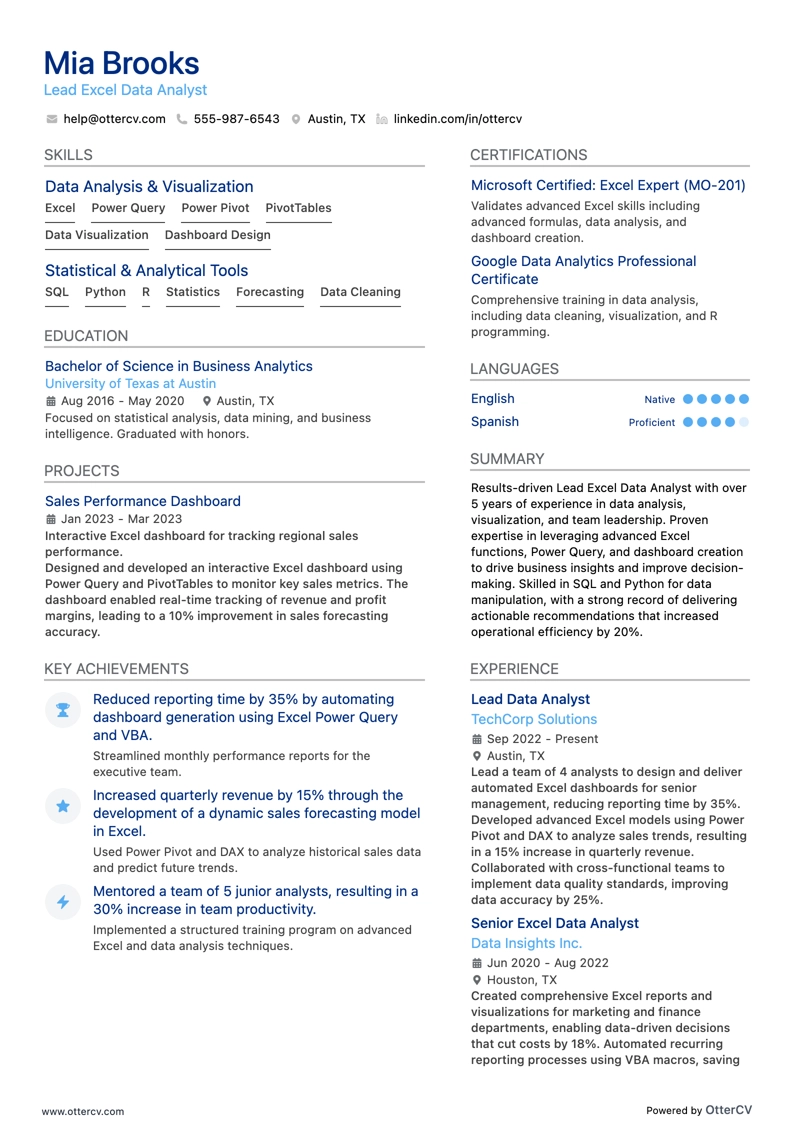
Lead Excel Data Analyst resume example

Lead Excel Data Analyst

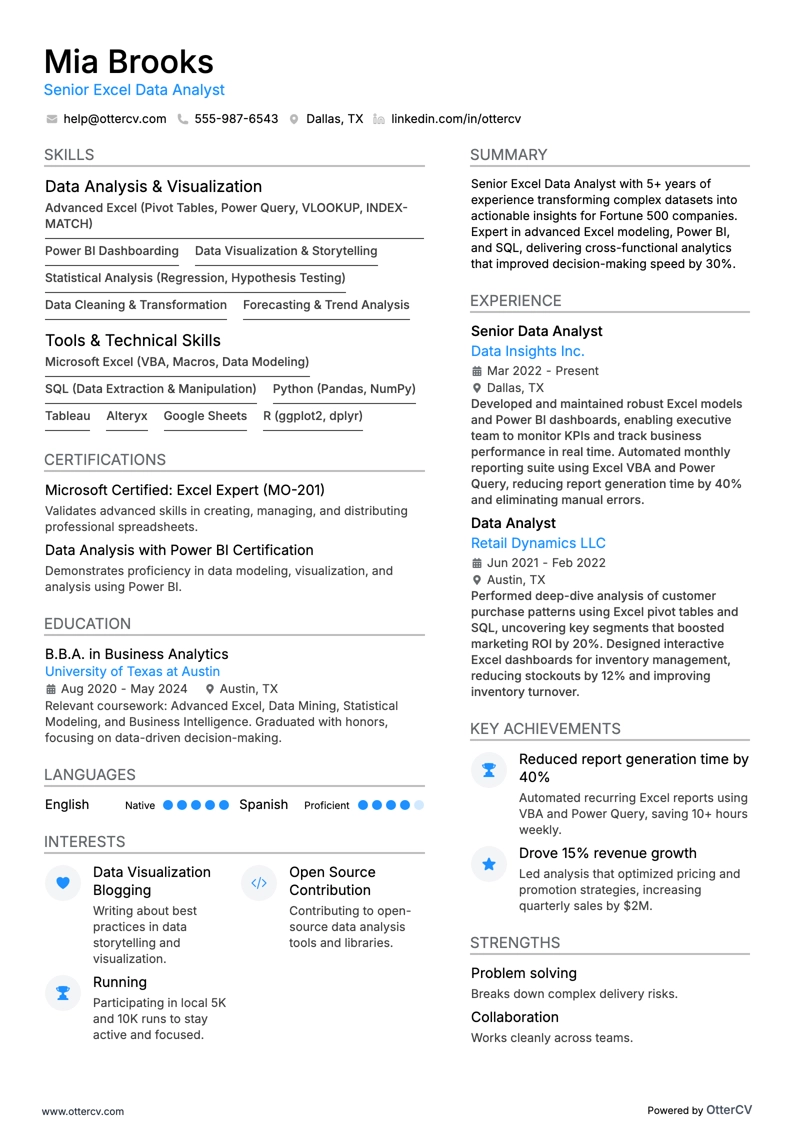
Senior Excel Data Analyst resume example

Senior Excel Data Analyst

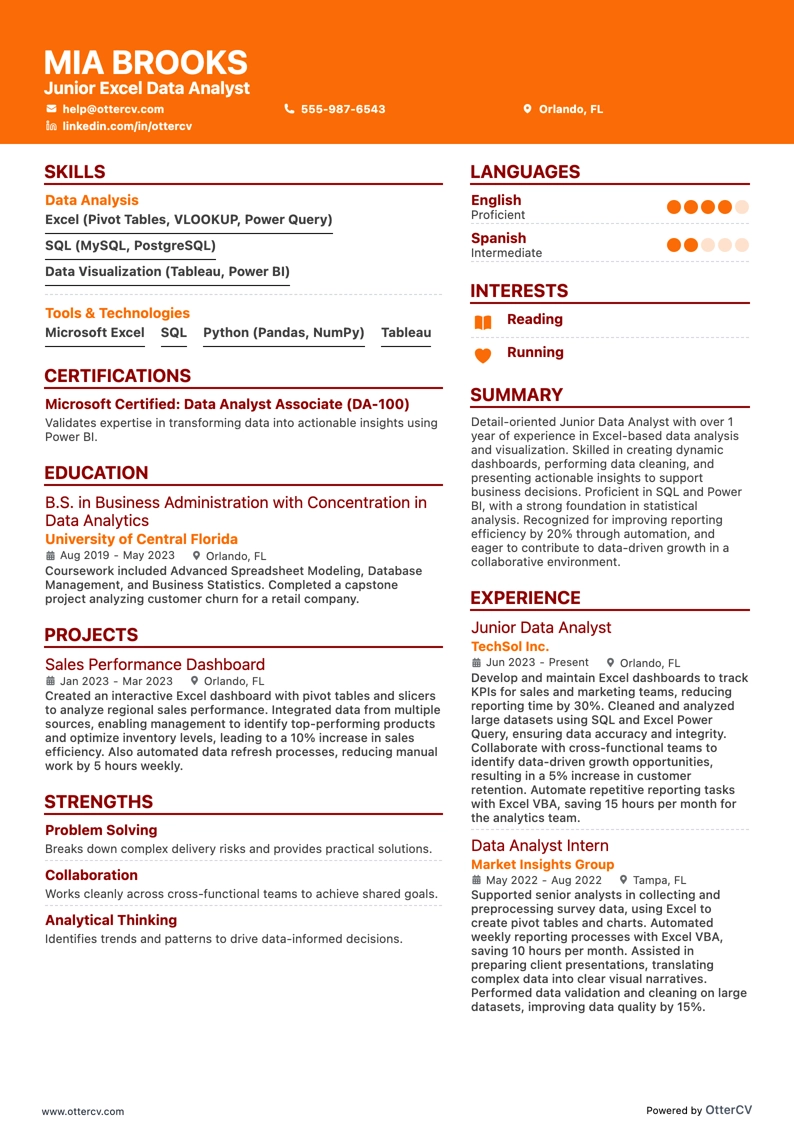
Junior Excel Data Analyst resume example

Junior Excel Data Analyst

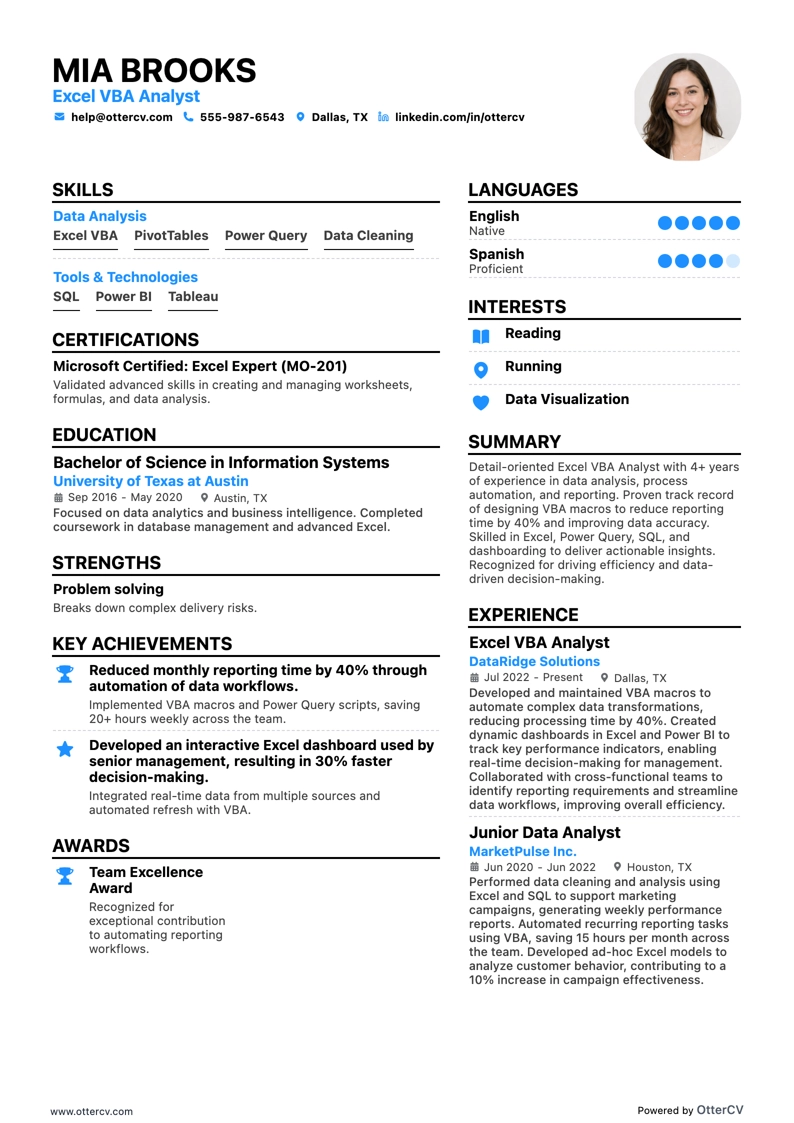
Excel VBA Analyst resume example

Excel VBA Analyst

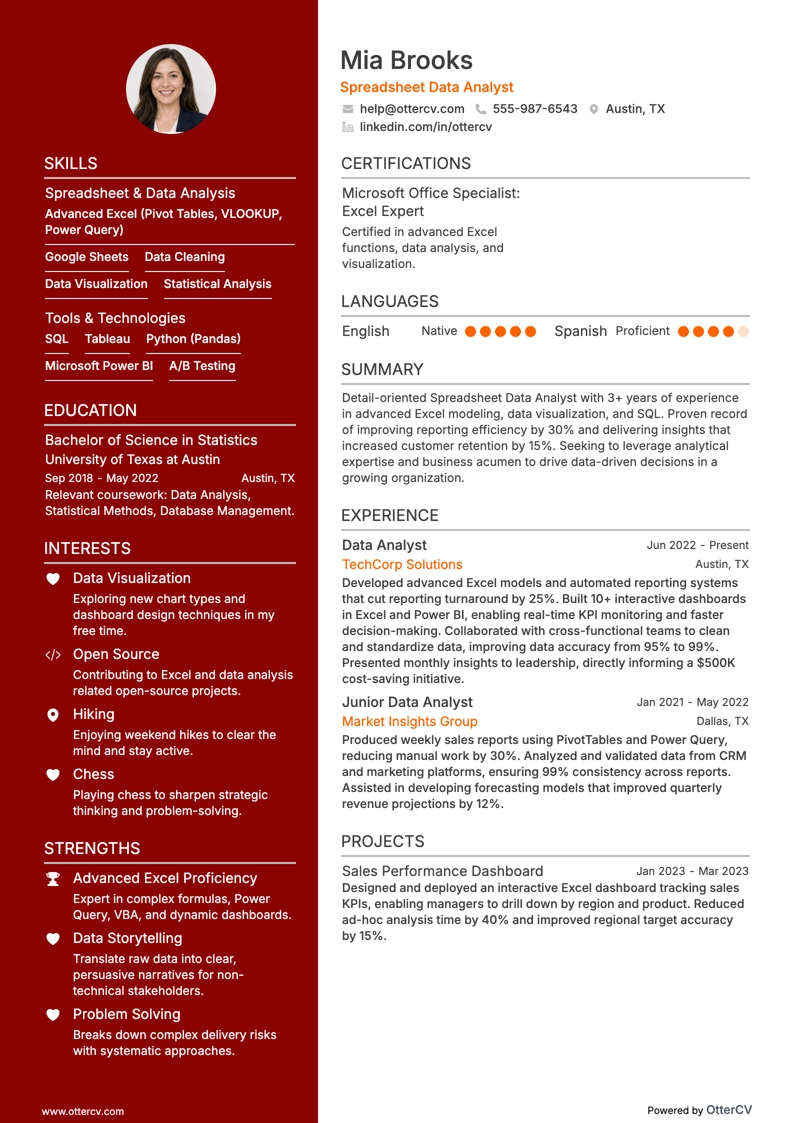
Spreadsheet Data Analyst resume example

Spreadsheet Data Analyst

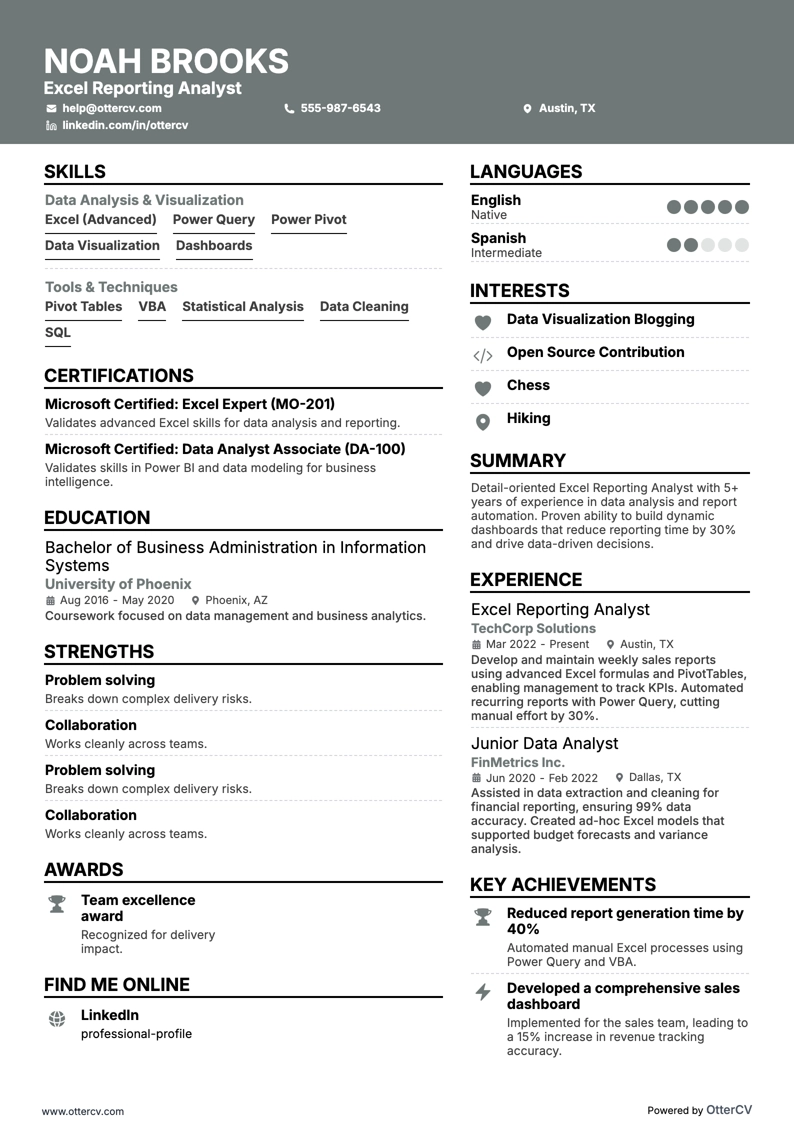
Excel Reporting Analyst resume example

Excel Reporting Analyst

Excel Analyst resume example

Excel Analyst

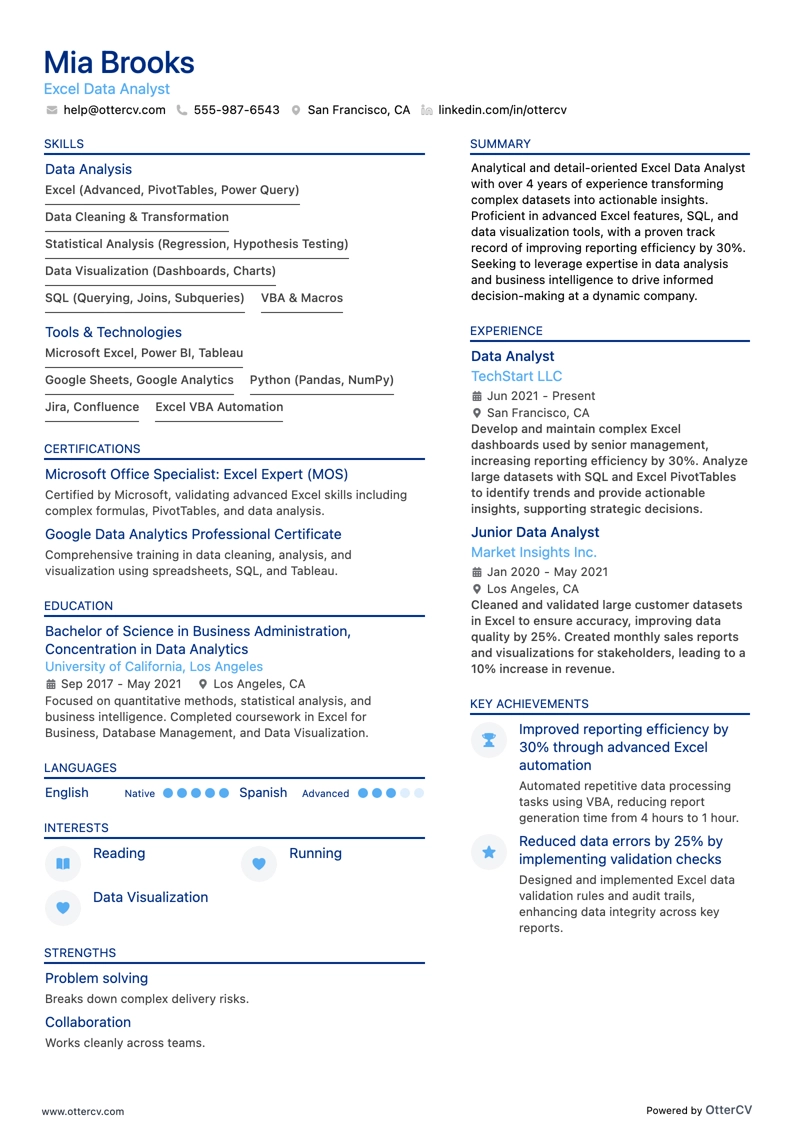
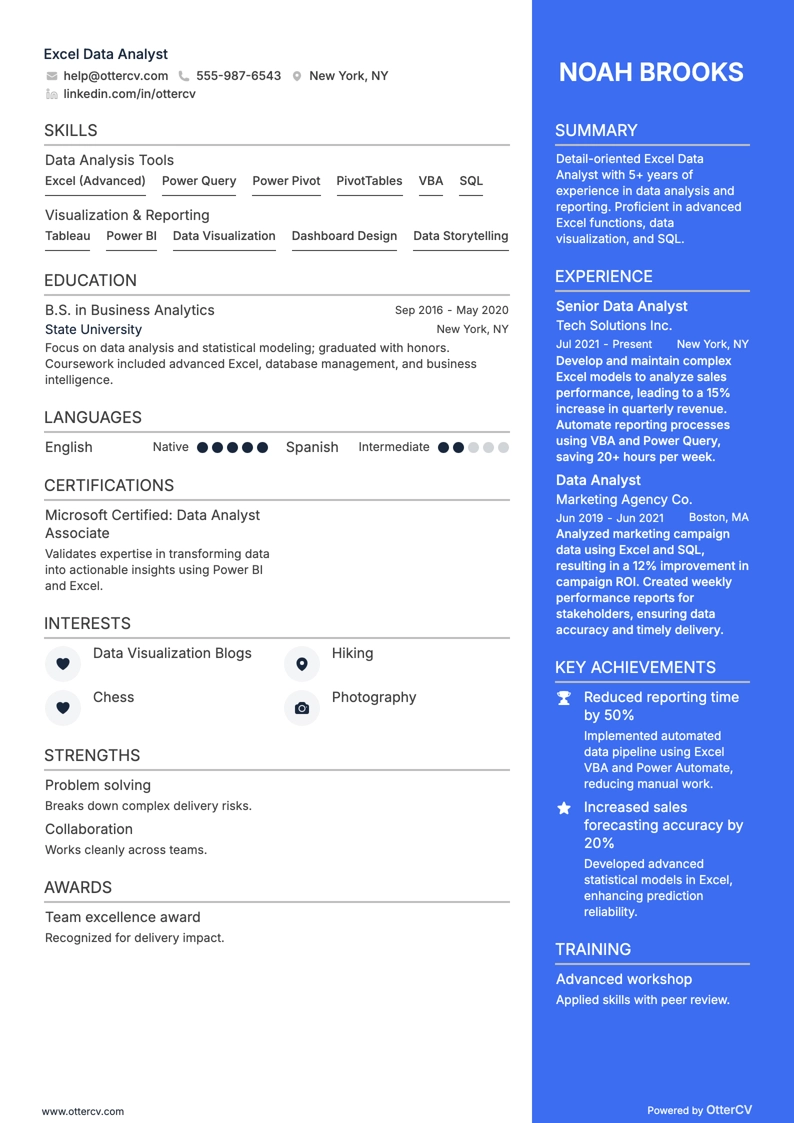
Excel Data Analyst resume example

Excel Data Analyst

Most Excel data analyst resume drafts fail because they read like task logs and bury outcomes under tool lists. That becomes a problem when ATS software filters keywords, recruiters scan in seconds, and competition is intense.

A strong resume shows what you improved, not just what you used. Knowing how to make your resume stand out means highlighting time saved through automation, reductions in error rates, dashboard adoption, revenue or cost impact, SLA delivery, and the stakeholder decisions your work enabled. Quantify scale, refresh cadence, and gains in data quality.

Key takeaways

  • Quantify every experience bullet with metrics such as time saved, error reduction, or cost impact.

  • Lead with ownership, execution method, and business outcome instead of listing tasks.

  • Tailor your resume language to match the exact tools and KPIs named in each job posting.

  • Place skills above experience if you're junior, and below experience if you're senior.

  • Connect every listed skill to a specific project, dataset, or measurable result.

  • Use Echocv to turn vague duties into focused, recruiter-ready bullet points faster.

  • Stop using AI once your resume accurately reflects your real experience without inflated claims.

How to format a Excel data analyst resume

Recruiters hiring for Excel data analyst roles look for clear evidence of spreadsheet modeling, data manipulation, and the ability to turn raw data into actionable insights. A clean, well-structured resume format helps surface these signals—technical skill depth, analytical tool fluency, and measurable project outcomes—during ATS parsing and a recruiter’s initial scan.

I have significant experience in this role—which format should I use?

I have significant experience in this role—which format should I use?

Use a reverse-chronological format to give recruiters a clear timeline of your growing analytical responsibilities and tool expertise.

  • Lead each role entry with your scope of ownership, including dataset size, number of stakeholders served, and reporting cadence.
  • Highlight proficiency in role-specific tools such as advanced Excel (Power Query, pivot tables, INDEX/MATCH, VBA macros), SQL, and visualization platforms like Tableau or Power BI.
  • Quantify outcomes tied to business decisions, such as cost savings, efficiency gains, error reduction, or revenue impact.

Example bullet: “Built and maintained a suite of 12 automated Excel dashboards using Power Query and dynamic pivot tables, reducing weekly reporting time by 65% and enabling the sales team to act on pipeline data 3 days faster.”

I'm junior or switching into this role—what format works best?

I'm junior or switching into this role—what format works best?

A hybrid format works best because it lets you highlight your strongest Excel and analytical skills first while still including a concise work history for context.

Do:

  • Put a dedicated skills section near the top with Excel-specific competencies such as XLOOKUP, conditional formatting, data validation, and pivot tables, along with complementary tools like SQL or Python.
  • Include academic projects, freelance analyses, or portfolio work that shows hands-on experience with data cleaning, modeling, or reporting.
  • Link every listed skill to a concrete action and a measurable or observable result.

Example scaffold: Advanced Excel (Power Query) → automated the consolidation of five regional sales spreadsheets into a single master report → eliminated 4 hours of manual work per week and reduced data entry errors by 30%.

Why not use a functional resume?

Why not use a functional resume?

A functional resume removes the timeline and context recruiters need to understand how you used your Excel and analytical skills in real jobs or projects, which makes it harder for them to assess the depth of your abilities.

  • Career changers with transferable analytical skills: You have used Excel extensively in finance, operations, or research roles and can connect that work to data-driven outcomes, even if your job titles do not include “analyst.”
  • Recent graduates or bootcamp completers with limited work history: You have portfolio projects or coursework involving data cleaning, modeling, or reporting in Excel, but no formal analyst role yet.
  • Professionals with resume gaps who maintained their skills: You completed certifications, such as Microsoft Office Specialist in Excel, or freelance projects during an employment gap and can show continued analytical practice.

Even so, a functional resume should remain a last resort. It can create ATS parsing problems and raise questions about employment continuity, so avoid it if you have any relevant experience you can present in chronological or hybrid format.

  • A functional resume may be acceptable if you are making a clear pivot into data analysis with no prior analyst titles, but only when every skill is tied to a specific project, dataset, or measurable outcome instead of listed as a standalone keyword.

With your layout and formatting set, the next step is deciding which sections to include and how to arrange them for maximum impact.

What sections should go on a Excel data analyst resume

Recruiters expect a clean, easy-to-scan resume that shows your Excel-driven analysis, reporting, and business impact. Understanding which resume sections to include helps you organize that information effectively.

Use this structure for maximum clarity:

  • Header
  • Summary
  • Experience
  • Skills
  • Projects
  • Education
  • Certifications
  • Optional sections: Awards, Leadership, Languages

Your strongest experience bullets should highlight measurable outcomes, the scope of the datasets and stakeholders you worked with, and the Excel tools you used to support faster, more accurate decisions.

With your resume’s key components in place, the next step is to write your Excel data analyst experience section so it clearly demonstrates your impact and fit.

How to write your Excel data analyst resume experience

Your experience section is where you show that you’ve delivered real analytical work using Excel formulas, pivot tables, data models, and related tools to drive measurable business outcomes. Hiring managers care more about proven impact than generic task lists, so each bullet should connect your work to a result the organization valued. Writing a targeted resume helps ensure every entry aligns with the role you want.

Each entry should include:

  • Job title
  • Company and location (or remote)
  • Dates of employment (month and year)

Add three to five concise bullet points that show what you owned, how you executed the work, and what outcomes you delivered:

  • Ownership scope: the datasets, dashboards, reporting pipelines, or analytical processes you were directly responsible for as an Excel data analyst.
  • Execution approach: the Excel functions, pivot table setups, Power Query workflows, macros, VBA scripts, or complementary tools you used to clean, transform, and analyze data.
  • Value improved: the gains you made in reporting accuracy, processing speed, forecasting reliability, error reduction, or decision-making efficiency.
  • Collaboration context: how you worked with stakeholders such as finance teams, operations managers, product owners, or engineering groups to define requirements, validate findings, and turn data into actionable recommendations.
  • Impact delivered: the business outcomes your analysis created, such as revenue growth, cost savings, time recovered, risk reduction, or better-informed strategic decisions, instead of just listing tasks.

Experience bullet formula

Experience bullet formula

Action verb + technology + what you built or fixed + measurable result

An Excel data analyst experience example

Excel Data Analyst

BrightCart Retail | Chicago, IL

2022–2025

Omnichannel retailer supporting 120+ stores and a growing ecommerce business with weekly executive reporting.

  • Built Power Query pipelines in Excel to consolidate point-of-sale, inventory, and web analytics exports, cutting weekly reporting time from eight hours to two hours and improving on-time delivery to 100%.
  • Designed Power Pivot data models and DAX measures for margin, sell-through, and stockout tracking across 15,000 stock keeping units, increasing forecast accuracy by 12% and reducing stockouts by 9%.
  • Automated quality checks with structured tables, XLOOKUP, and conditional formatting rules, reducing pricing and mapping errors by 35% and preventing an estimated $180,000 in quarterly margin leakage.
  • Developed scenario and sensitivity models using Solver and What-If Analysis to optimize promotional pricing with merchandising and finance, improving promo return on investment by 14% across three seasonal campaigns.
  • Partnered with product managers and data engineers to standardize metric definitions and reconcile Excel outputs with SQL dashboards, cutting stakeholder escalations by 40% and eliminating two recurring metric discrepancies.

Now that you’ve seen what a strong experience section looks like, the next step is adapting yours to the specific job posting you’re targeting.

How to tailor your Excel data analyst resume experience

Recruiters review resumes through both human screening and applicant tracking systems, looking for specific skills and qualifications. Tailoring your resume to the job description can improve your chances of getting through both.

Ways to tailor your Excel data analyst experience:

  • Match the Excel functions and tools listed in the job description.
  • Use the same terminology for reporting processes or standards.
  • Reflect the KPIs or success criteria the employer emphasizes.
  • Include industry or domain experience that is relevant to the role.
  • Emphasize data quality and accuracy practices when the posting calls for them.
  • Highlight collaboration with cross-functional teams if the role mentions it.
  • Reference the specific data visualization methods or dashboards the employer names.
  • Align your workflow descriptions with the methodologies outlined in the posting.

Tailoring your resume means aligning your real accomplishments with the employer’s needs, not forcing keywords into sentences where they do not belong.

Resume tailoring examples for Excel data analyst

Job description excerptUntailoredTailored
"Build and maintain complex Excel models to forecast quarterly revenue across three product lines, using VLOOKUP, INDEX/MATCH, and pivot tables."Worked with spreadsheets and helped with data projects for the team.Built and maintained multi-tab Excel forecasting models for three product lines using VLOOKUP, INDEX/MATCH, and pivot tables, improving quarterly revenue projection accuracy by 18%.
"Clean, transform, and validate large datasets (50K+ rows) in Excel using Power Query to support the finance team's monthly reporting cycle."Assisted with data entry and reporting tasks using various tools.Cleaned and transformed datasets of 50K+ rows in Excel with Power Query, reducing the finance team's monthly reporting preparation time from five days to two.
"Create interactive Excel dashboards with conditional formatting, slicers, and dynamic charts to present KPI trends to senior leadership."Made charts and visuals to help stakeholders understand data better.Designed interactive Excel dashboards using conditional formatting, slicers, and dynamic charts to visualize KPI trends, enabling senior leadership to identify a 12% drop in customer retention within the first reporting cycle.

Once you’ve aligned your experience with the role’s priorities, the next step is to quantify your Excel data analyst achievements so hiring managers can clearly see the impact behind that fit.

How to quantify your Excel data analyst achievements

Quantifying your achievements shows business impact, not just activity. For Excel data analysts, focus on cycle time, data accuracy, error reduction, automation savings, and stakeholder adoption across dashboards, reports, and models.

Quantifying examples for Excel data analyst

MetricExample
Cycle timeCut weekly sales reporting from six hours to one hour by automating Power Query refreshes and pivot tables across eight regions.
Data accuracyReduced invoice data errors from 3.2% to 0.7% by adding Excel validation rules and reconciliation checks on 25,000 monthly rows.
ThroughputScaled analysis from five to twenty ad hoc requests per week using reusable templates, structured tables, and dynamic array formulas.
Cost savingsSaved $18,000 annually by replacing a manual vendor scorecard process with an Excel model and scheduled refresh workflow.
AdoptionIncreased dashboard usage from twelve to forty weekly users by redesigning KPI views, adding slicers, and publishing a one-page guide.

Once you've written strong experience bullets, the next step is making sure your skills section clearly highlights the hard and soft skills that support your Excel data analyst qualifications.

How to list your hard and soft skills on a Excel data analyst resume

Your skills section shows recruiters and an ATS (applicant tracking system) that you can analyze, automate, and report in Excel. Focus on role-specific tools and workflows, then balance them with communication and execution skills—usually with more hard skills than soft skills.

Excel data analyst roles require a blend of:

  • Product strategy and discovery skills.
  • Data, analytics, and experimentation skills.
  • Delivery, execution, and go-to-market discipline.
  • Soft skills.

Your skills section should be:

  • Scannable with bullet-style grouping.
  • Relevant to the job post.
  • Backed by proof in your experience bullets.
  • Updated with current tools.

Place your skills section:

  • Above your experience section if you're junior or switching careers.
  • Below your experience section if you're mid- or senior-level with strong achievements.

Hard skills

  • Advanced Excel formulas.
  • PivotTables and PivotCharts.
  • Power Query and Get & Transform.
  • Power Pivot and data modeling.
  • DAX measures.
  • Excel dashboards and KPI reporting.
  • Data cleaning and normalization.
  • SQL querying and joins.
  • CSV imports and data validation.
  • VBA macros and automation.
  • Statistical analysis and regression.
  • A/B test analysis.

Soft skills

  • Translate business questions into metrics.
  • Clarify requirements with stakeholders.
  • Present insights in plain language.
  • Write concise analysis summaries.
  • Prioritize requests by impact.
  • Challenge assumptions with data.
  • Document processes and definitions.
  • Manage deadlines across requests.
  • Partner with finance and operations.
  • Own data quality follow-ups.
  • Align on success criteria early.
  • Communicate risks and tradeoffs clearly.

How to show your Excel data analyst skills in context

Skills should not appear only in a bulleted list on your resume. Review examples of resume skills to see how analysts present their strengths clearly and effectively.

Your skills should also be demonstrated in:

  • Your summary, which defines your high-level professional identity
  • Your experience, which proves your skills through outcomes

Here is what strong, skill-focused writing looks like in practice.

Summary example

Senior Excel data analyst with eight years of experience in healthcare analytics. Skilled in Power Query, advanced DAX modeling, and SQL-driven reporting. Built automated dashboards that reduced monthly reporting time by 35%, helping cross-functional teams make faster, data-backed decisions.

  • Clearly reflects senior-level expertise
  • Names tools and methods relevant to the role
  • Includes a measurable efficiency outcome
  • Signals collaboration and communication skills

Experience example

Senior Data Analyst

Meridian Health Partners | Remote

June 2019–Present

  • Designed Excel-based forecasting models using Power Query and VBA, reducing quarterly budget variance by 18% across five regional departments.
  • Partnered with clinical operations teams to create interactive pivot table dashboards, improving patient intake reporting accuracy by 27%.
  • Automated weekly SQL data pulls into structured Excel workbooks, saving the analytics team approximately 12 hours per month in manual entry.
  • Every bullet includes measurable proof.
  • Skills appear naturally within real outcomes.

Once you’ve shown your Excel data analyst skills through relevant examples and results, the next step is turning that evidence into a resume format that works even without professional experience.

How do I write a Excel data analyst resume with no experience

Even without full-time experience, you can show readiness through projects and transferable work. Building a resume without work experience is possible when you focus on the right evidence:

  • Excel dashboard portfolio projects
  • Coursework capstone data analysis
  • Volunteer reporting for nonprofits
  • Freelance spreadsheet cleanup gigs
  • Kaggle datasets Excel case studies
  • Internship or campus office analytics
  • Personal finance data tracking models
  • Mock business KPI reporting projects

Focus on:

  • Excel pivots, Power Query, charts
  • Clean, documented analysis workflow
  • Metrics impact with clear numbers
  • Domain context for the dataset

Resume format tip for entry-level Excel data analyst

Resume format tip for entry-level Excel data analyst

Use a skills-based resume format to highlight your Excel data analyst projects, tools, and results when your work history is limited.

Do:

  • Add a Projects section above your work history.
  • List the Excel features used in each bullet.
  • Quantify results with time saved or accuracy improvements.
  • Link to a portfolio with two projects.
  • Match keywords to the job posting.

Example project bullet:

  • Built a sales KPI dashboard in Excel using Power Query and pivot tables, cutting weekly reporting time from two hours to thirty minutes for a mock retail dataset.

Once you’ve structured your resume around transferable skills and relevant projects, the next step is presenting your education in a way that reinforces your qualifications.

How to list your education on a Excel data analyst resume

Your education section helps hiring teams quickly confirm that you have the foundational knowledge needed for an Excel data analyst role. It also supports your analytical training and technical background.

Include:

  • Degree name
  • Institution
  • Location
  • Graduation year
  • Relevant coursework (for juniors or entry-level candidates)
  • Honors and GPA (if 3.5 or higher)

Skip the month and day details—list the graduation year only.

Here’s a strong education entry tailored to an Excel data analyst resume.

Example education entry

Bachelor of Science in Statistics

University of Michigan, Ann Arbor, MI

Graduated 2022

GPA: 3.7/4.0

  • Relevant coursework: Data Analysis Methods, Applied Regression, Database Management, and Business Intelligence Fundamentals.
  • Honors: Dean's List, all semesters.

How to list your certifications on a Excel data analyst resume

Certifications on your resume show your commitment to learning, demonstrate tool proficiency, and signal industry relevance for an Excel data analyst role.

Include the following details:

  • Certificate name
  • Issuing organization
  • Year
  • Optional: credential ID or URL
  • Place certifications below education when your degree is recent and more relevant than your credentials.
  • Place certifications above education when they are recent, highly relevant, or your degree is older or unrelated.

Best certifications for your Excel data analyst resume

  • Microsoft Office Specialist: Excel Associate (Microsoft 365 Apps)
  • Microsoft Office Specialist: Excel Expert (Microsoft 365 Apps)
  • Microsoft Certified: Power BI Data Analyst Associate
  • Google Data Analytics Professional Certificate
  • Tableau Desktop Specialist
  • IBM Data Analyst Professional Certificate
  • Microsoft Certified: Azure Data Fundamentals

Once your key credentials are easy for recruiters to spot, write an Excel data analyst resume summary that connects those qualifications to the value you bring.

How to write your Excel data analyst resume summary

Your resume summary is often the first thing a recruiter reads, so it should quickly show that you’re qualified for an Excel data analyst role.

Keep it to three to four lines and include:

  • Your job title and total years of experience in data analysis.
  • The domain or industry where you’ve used your skills.
  • Core tools such as Excel, SQL, Python, Tableau, or Power BI.
  • One or two measurable achievements that demonstrate your impact.
  • Soft skills tied to outcomes, such as cross-team collaboration or clear data storytelling.

PRO TIP

At this level, emphasize your technical proficiency, relevant tools, and early wins that show initiative.

Call out specific Excel skills such as pivot tables, VLOOKUP, or data modeling.

Avoid vague descriptors like "passionate" or "hard-working," and skip objective statements that focus on what you want instead of what you deliver.

Example summary for a Excel data analyst

Data analyst with two years of experience building Excel dashboards and automating reports using pivot tables and Power Query. Reduced monthly reporting time by 35% for a mid-size logistics firm.

Now that your summary highlights your strongest qualifications, make sure your header includes the contact and professional details recruiters need to reach you.

What to include in a Excel data analyst resume header

A resume header includes your key contact details and role, helping improve visibility, credibility, and recruiter screening for a Excel data analyst.

Essential resume header elements:

  • Full name
  • Tailored job title and headline
  • Location
  • Phone number
  • Professional email
  • GitHub link
  • Portfolio link
  • LinkedIn

Including a LinkedIn link helps recruiters verify your experience quickly and supports screening.

Do not include photos on a Excel data analyst resume unless the role is explicitly front-facing or appearance-dependent.

Keep the header to one or two lines, match your Excel data analyst title to the job posting, and use links that open and load fast.

Example

Once your contact details and key identifiers are correctly placed at the top, you can strengthen your application by adding relevant sections that support your Excel data analyst qualifications.

Additional sections for Excel data analyst resumes

When your core qualifications are similar to those of other candidates, these extra sections can help you stand out and reinforce your credibility as an Excel data analyst.

  • Languages
  • Certifications (Microsoft Office Specialist, Excel Expert, etc.)
  • Publications and data analysis case studies
  • Professional associations and data community memberships
  • Conferences and workshops
  • Hobbies and interests related to analytics or problem-solving

Once you’ve strengthened your resume with the right supplementary sections, pair it with a tailored cover letter to give hiring managers a fuller picture of your qualifications.

Do Excel data analyst resumes need a cover letter

An Excel data analyst cover letter usually isn’t required. Understanding what a cover letter is can help you decide when it adds value. It’s often most useful for competitive roles, referrals, or smaller teams that expect more context. It can also help when hiring managers want clear evidence of fit and impact.

Use a cover letter to share details your resume can’t:

  • Explain your fit for the role or team by matching your Excel data analyst strengths to the team’s workflow, tools, and reporting needs.
  • Highlight one or two relevant projects or outcomes, including the dataset size, methods used, and the business result.
  • Show your understanding of the product, users, or business context by naming key metrics and how you’d support decisions.
  • Address career transitions or less obvious experience by connecting past work to Excel data analyst tasks and outcomes.

Using AI to improve your Excel data analyst resume

Even if you decide a cover letter will not add value to your Excel data analyst application, improving your resume with AI is a logical next step because it strengthens the document hiring teams review first.

AI can improve your resume’s clarity, structure, and impact. It can tighten language and highlight measurable results. But overusing it can quickly make your resume feel less authentic. Once your content is clear and aligned with the role, stop relying on AI. If you are comparing tools, learn more about which AI is best for writing resumes before choosing one.

Here are 10 practical prompts to strengthen specific sections of your Excel data analyst resume:

  1. Sharpen your summary: “Rewrite my resume summary to highlight my strongest Excel data analyst qualifications in three concise sentences with measurable outcomes.”
  2. Quantify experience bullets: “Add specific metrics and results to these Excel data analyst experience bullets without inventing any data I haven't provided.”
  3. Align skills section: “Reorganize my skills section to prioritize the most in-demand technical skills for an Excel data analyst role today.”
  4. Strengthen action verbs: “Replace weak or passive verbs in my Excel data analyst experience section with strong, specific action verbs.”
  5. Tighten project descriptions: “Edit my project descriptions to clearly show my Excel data analyst contributions, tools used, and business impact.”
  6. Improve education relevance: “Rewrite my education section to emphasize coursework and achievements most relevant to an Excel data analyst position.”
  7. Refine certification entries: “Format my certifications section so each entry clearly supports my qualifications as an Excel data analyst.”
  8. Remove filler language: “Identify and remove vague or redundant phrases from my Excel data analyst resume without losing important details.”
  9. Tailor to job posting: “Adjust my Excel data analyst resume bullets to better match the specific requirements listed in this job description.”
  10. Clarify technical contributions: “Rewrite these bullet points to clearly explain what I built, analyzed, or automated as an Excel data analyst.”

Stop using AI once your resume sounds accurate, specific, and aligned with your real experience. AI should never invent experience or inflate claims—if it did not happen, it does not belong on your resume.

Conclusion

A strong Excel data analyst resume shows impact through measurable outcomes, role-specific skills, and a clean structure. Use clear job titles, dates, and bullet points, and highlight results such as faster reporting cycles, higher data accuracy, and better stakeholder decisions.

Keep your resume focused on what hiring teams need now and next: Excel expertise, data cleaning, dashboards, and reliable analysis. Emphasize the tools you used and the business outcomes you delivered to show that you are ready to contribute on day one.

Excel Data Analyst resume examples

Explore additional Excel Data Analyst resume samples and guides and see what works for your level of experience or role.

By Experience

Lead Excel Data Analyst

Lead Excel Data Analyst resume preview

Senior Excel Data Analyst

Senior Excel Data Analyst resume preview

Junior Excel Data Analyst

Junior Excel Data Analyst resume preview

Excel Data Analyst resume examples

Explore additional Excel Data Analyst resume samples and guides and see what works for your level of experience or role.

By Role

Excel VBA Analyst

Excel VBA Analyst resume preview

Spreadsheet Data Analyst

Spreadsheet Data Analyst resume preview

Excel Reporting Analyst

Excel Reporting Analyst resume preview

Excel Analyst

Excel Analyst resume preview

Excel Data Analyst

Excel Data Analyst resume preview