Junior Network Administrator full preview

16 Entry-Level IT Resume Examples, Templates

OtterCV

Written by The OtterCV Team

Updated: 1/1/2023•8 min read

See all resume examples in this guide, or generate your own resume example with your personalized prompt

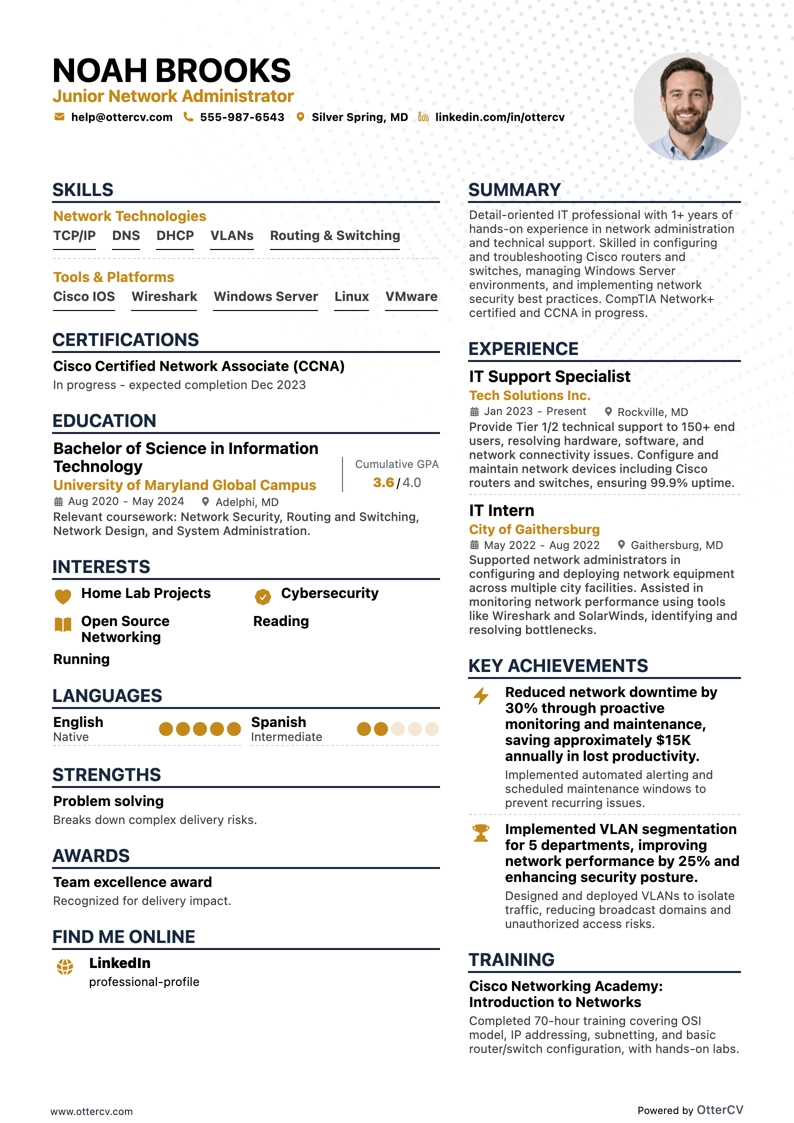
Junior Network Administrator resume example

Junior Network Administrator

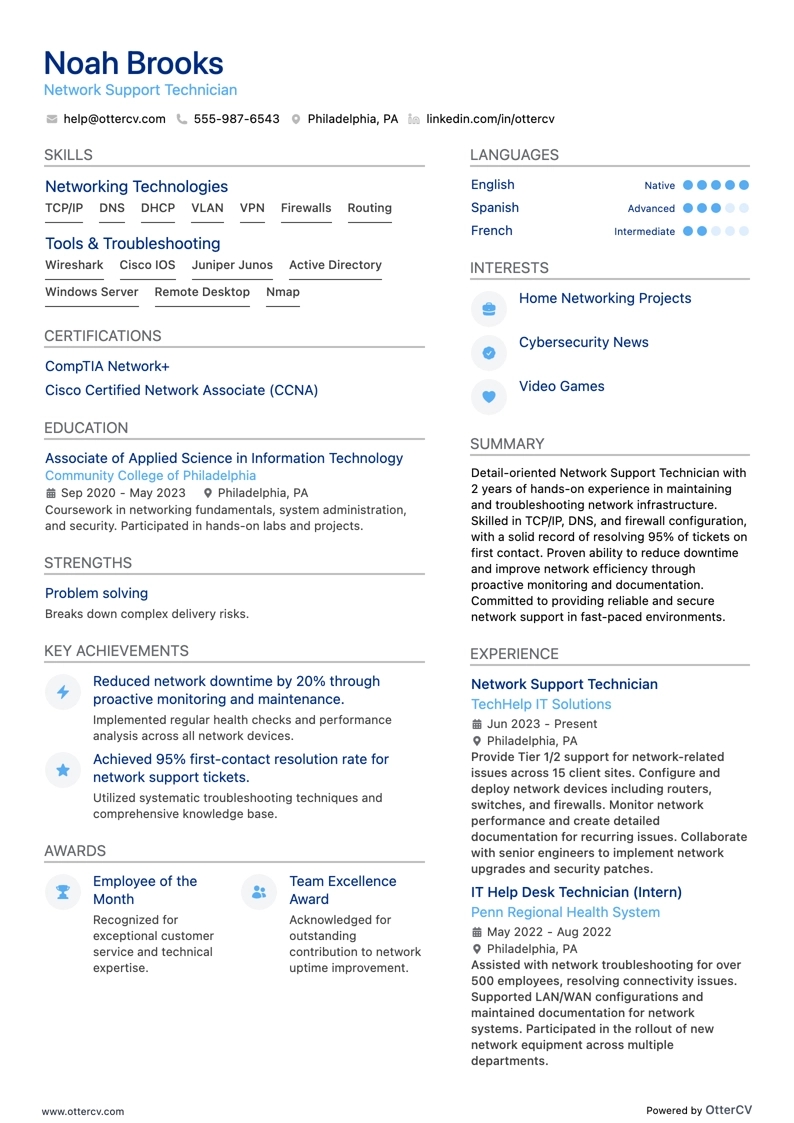
Network Support Technician resume example

Network Support Technician

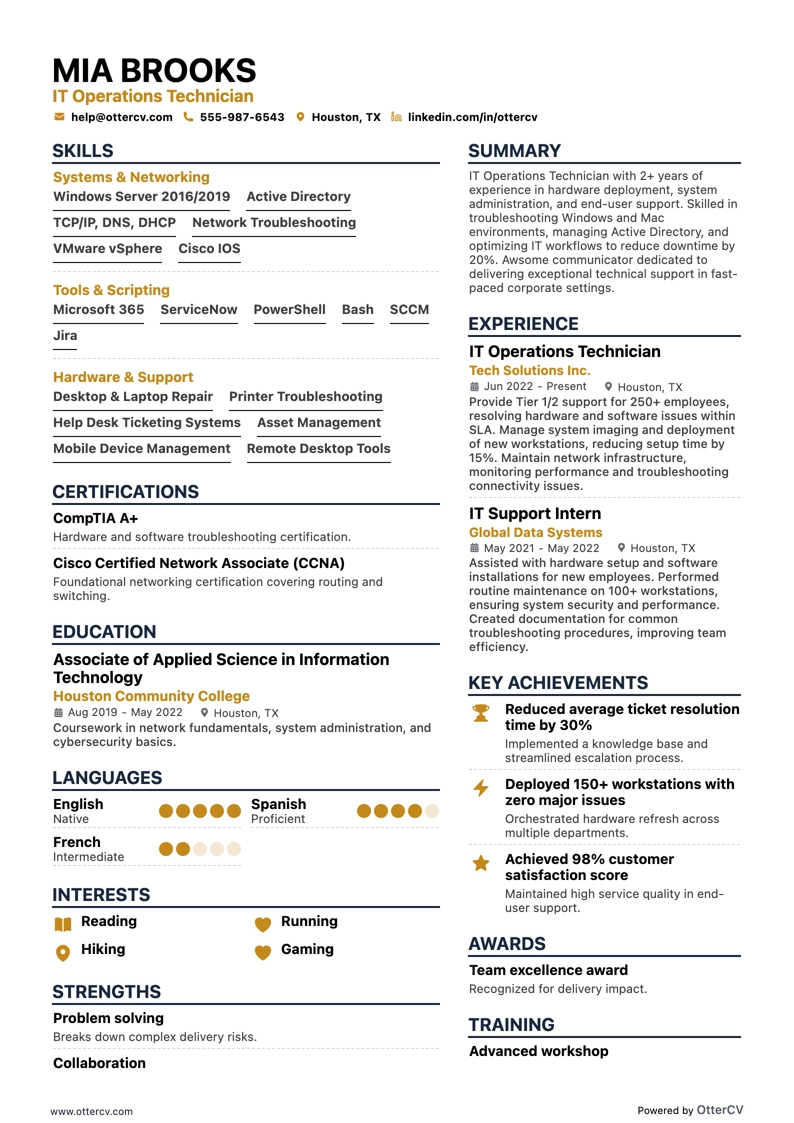
IT Operations Technician resume example

IT Operations Technician

IT professionals are increasingly among the most sought-after candidates in today’s job market across many industries. Even for entry-level roles, companies are searching for talent that can support their next wave of technological growth.

That creates a challenge for entry-level IT applicants when it comes to presenting their qualifications. Tech jobs are often less straightforward than traditional roles, and two candidates with the same job title at different companies may handle very different responsibilities.

The good news is that a strong entry-level IT resume can highlight your unique strengths and help you stand out. The key is to understand exactly what the job description requires so you can present your skills in the most effective way.

This guide will show you:

  • How to format and design your entry-level IT resume to make a strong first impression.
  • The best ways to address limited experience through projects, internships, and self-taught skills.
  • The most in-demand soft and technical skills for entry-level IT jobs.
  • Entry-level IT resume templates and examples for inspiration.
  • How to use education and certificates to strengthen your job search.

Looking for more resume guides for entry-level IT jobs? Explore these top picks:

Entry-level IT resume example

Junior Network Administrator resume preview

Here’s what this applicant does well in their resume:

  • Practical IT experience: They mention internships at Google and IBM, showing hands-on experience in software development, data analysis, and network security.
  • Quantifiable achievements: They include specific results, such as reducing manual work by 40% and increasing engagement by 25%, which helps demonstrate the impact of their work.
  • Relevant certifications: They list certifications such as Advanced Python for Data Science and Network Security Fundamentals, which are relevant to IT and data analysis roles.
  • Enthusiasm for IT: They show genuine interest in technology and continuous learning through volunteer work at nonprofit organizations and a commitment to digital literacy.

How to format an entry-level IT resume

Creating an effective entry-level IT resume means presenting your background clearly so recruiters can quickly understand your value. Just as clarity and efficiency matter in IT, your resume format should make the document easy to scan and easy to follow.

A strong layout helps recruiters move through your resume smoothly while highlighting your strengths and achievements in a clear, concise way.

When formatting your entry-level IT resume, focus on these elements:

  • Use the reverse chronological format: Start with your most recent degree, certification, or work experience, then work backward.
  • Create an attractive header section: At the top of the page, craft a clear header with your name and contact information. If you want to add a resume photo, be mindful of the norms in the country where you’re applying.
  • Emphasize important sections: As an entry-level applicant, it’s important to place more focus on education, internships, certifications, and relevant projects or skills rather than only on work experience.
  • Keep your resume length to one page: If your content is concise and focused, one page is usually enough to present relevant information without overwhelming the recruiter.

Font choice also matters when building your entry-level IT resume. The right typeface should be professional and easy to read. Recommended options include Rubik, Lato, Montserrat, Raleway, Exo 2, and Volkhov, though traditional fonts such as Arial and Times New Roman also work well.

Also consider local expectations. Canadian resumes, for example, may follow a different format.

PRO TIP

When choosing the format for your resume, PDF is often a better option than DOC. PDF files preserve their design and layout across devices, helping hiring managers see your resume exactly as you intended.

This is especially important for entry-level IT resumes, where clarity and professionalism matter.

Lastly, you may have heard the myth that applicant tracking systems (ATS) will automatically reject your resume if it lacks a few keywords. In reality, that is far from the truth, because ATS systems still do not have built-in features that autonomously disqualify candidates based solely on the absence of specific keywords.

So what does that mean exactly? If your rejection rate is high, it is probably due to one of two reasons:

  1. The position had already been filled before you sent your application.
  2. The hiring manager reviewed all resumes and chose a different applicant.

The real goal of using keywords is to resonate with the recruiter once your resume reaches their desk. Especially in IT, core skills and industry-specific terms show your familiarity with the field and align your experience with the job requirements, helping strengthen your candidacy.

The top sections on an entry-level IT resume:

  • Header: It helps recruiters contact the candidate easily for discussions or job offers.
  • Career objective: It shows the candidate’s goals and aspirations and how they align with the company’s requirements.
  • Skills: This section is essential for listing technical skills such as coding languages, software, and hardware familiarity.
  • Education & certifications: This highlights the candidate’s degree, credentials, and any additional IT-related courses or certifications.
  • Work experience/internships: This shows hands-on experience with IT roles or projects, which is often a deciding factor for entry-level candidates.

What recruiters want to see on your resume:

  • Technical skills: Recruiters look for core IT skills such as coding languages, software knowledge, and hardware troubleshooting because they are fundamental to the role.
  • Certifications: Certificates from reputable sources show dedication to your profession and can help you stand out from other applicants.
  • Problem-solving skills: Strong problem-solving skills show that you can handle complex technical issues with logical thinking and creativity.
  • Hands-on experience: Real-world projects, internships, or volunteer work can prove that you know how to apply theory in practical situations, even at the entry level.
  • Familiarity with latest trends: Because IT evolves quickly, employers value candidates who keep up with new technologies and trends, including AI and machine learning.

How to write your entry-level IT resume experience

Typically, the experience section is where you outline your career history and achievements. It helps recruiters understand your practical skills and how you have applied your tech knowledge in real-world situations.

As an entry-level IT candidate, it is completely understandable if you don’t have extensive experience to showcase in your resume. The good news is that hiring companies understand this and are not expecting years of expertise. You can still make a strong impression by listing self-directed learning, temp work, projects, and similar experience.

Here are a few ways to do that:

  • Projects and coursework: Include relevant academic projects or coursework that show your IT skills and knowledge.
  • Internships: Even if they are not directly related to IT, internships can demonstrate your ability to work in a professional environment and learn new skills.
  • Volunteer work: Tech-related volunteer work can highlight both your practical skills and your passion for technology.
  • Self-learned skills: Mention any IT skills you taught yourself through online courses, tutorials, or personal projects.

Examples of entry-level IT resume experience section:

Experience

Web Developer

University Web Development Project

11/2022 - 05/2023 | Allentown, PA

  • Participated in a semester-long project to build a website for a local shop.
  • Used web development tools and languages to help develop front-end and back-end components.
  • Tested and optimized website features after launch.
WRONG

At first glance, this project description could go into much more useful detail. That does not mean filling it with buzzwords or jargon that may confuse a recruiter. It does mean presenting the project with a clearer and more engaging narrative.

The example also lacks metrics and concrete skills that could help catch a hiring manager’s attention.

Here are a few ways to strengthen this entry-level IT experience section:

  • Include quantifiable achievements: Whenever possible, use numbers to show the impact of your work. For example, “Developed an app that got 1,000+ downloads in the first month.”
  • Highlight transferable skills: Even if your experience is not directly tied to IT, emphasize skills that carry over, such as problem-solving, teamwork, and adaptability.
  • Leverage action verbs: Begin each bullet point with a strong verb, such as “Designed” or “Implemented,” to describe your contributions more effectively.

Experience

Junior Full Stack Developer

University Web Development Project

02/2023 - 05/2023 | Allentown, PA

  • Collaborated with a 4-member team to develop an e-commerce website for a local bookstore using HTML, CSS, JavaScript, and PHP.
  • Led backend development by designing and implementing a secure, efficient MySQL database to manage user data and transactions.
  • Conducted comprehensive testing and debugging to ensure strong functionality across browsers and devices, contributing to a 25% increase in user engagement during the first month after launch.
RIGHT

How to list your hard skills and soft skills on your resume

Showcasing in-demand skills on your entry-level IT resume helps demonstrate that you are ready to adapt, learn, and contribute from day one. Headhunters do not expect you to have mastered machine learning algorithms or cloud infrastructure optimization. Instead, they look for candidates with the right abilities and attitude to begin learning with enthusiasm and dedication.

There are two types of skills you can list on an IT resume: soft skills and core skills.

Soft skills are personal attributes that help you interact effectively and work well with others in day-to-day situations. In IT, interpersonal strengths such as communication, teamwork, and adaptability are just as important as technical ability.

Hard skills refer to the technical competencies and knowledge specific to the IT field. These measurable abilities are often gained through education, certifications, and hands-on experience. Examples include programming languages, network security knowledge, and database management.

Here are three steps to build a captivating skills section for your IT resume:

  • Start with the job description in mind: Carefully review the job ad to identify the skills and qualities the employer is seeking. This helps align your resume with the role's specific requirements.
  • Write down all your soft and core skills: Make a complete list of your abilities, including transferable skills you have developed through other experiences.
  • Narrow it down to 5-10 unique and relevant skills: Choose the 5-10 most in-demand soft and core skills that best reflect your abilities and qualifications.

Best hard skills for your entry-level IT resume

  • Python is a valuable programming skill for entry-level IT roles.
  • Java is a strong hard skill to include on an entry-level IT resume.
  • C++ can help demonstrate technical programming ability.
  • JavaScript is useful for many IT and web-related positions.
  • SQL shows that you can work with databases and queries.
  • HTML/CSS is important for web and front-end technical tasks.
  • Linux experience is a useful technical skill for many IT environments.
  • Network troubleshooting shows practical problem-solving ability.
  • Cybersecurity knowledge can strengthen an entry-level IT resume.
  • Cloud computing experience with AWS or Azure is a relevant hard skill.
  • Data analysis can show strong technical and analytical ability.
  • Machine learning is a valuable technical skill in data-driven roles.
  • Artificial intelligence can help highlight advanced technical knowledge.
  • Project management tools can support collaboration and organization.
  • Software testing shows attention to quality and functionality.
  • Database management is a useful skill for many IT positions.
  • UI/UX design can be relevant for product and web-focused roles.
  • Mobile app development can demonstrate hands-on technical experience.
  • QA tools can help show testing and quality assurance skills.
  • Troubleshooting hardware issues shows practical IT support ability.

Best soft skills for your entry-level IT resume

  • Communication helps you explain ideas clearly.
  • Problem-Solving shows you can work through technical challenges.
  • Critical Thinking reflects sound judgment and careful evaluation.
  • Time Management shows you can handle tasks efficiently.
  • Teamwork highlights your ability to work well with others.
  • Adaptability shows you can adjust to new tools and situations.
  • Customer Service highlights your ability to support users professionally.
  • Attention to Detail shows you can produce accurate work.
  • Creativity helps you approach problems with fresh ideas.
  • Leadership shows you can guide tasks and support others.
  • Initiative reflects a proactive approach to work.
  • Patience helps you stay calm when solving issues.
  • Collaboration shows you can contribute effectively in group settings.
  • Learning Agility highlights your ability to pick up new skills quickly.
  • Multitasking shows you can manage multiple responsibilities.
  • Decision Making reflects your ability to choose practical solutions.
  • Empathy helps you understand and respond to others' needs.
  • Analytical Thinking shows you can break down complex problems.
  • Stress Management helps you stay effective under pressure.
  • Self-Motivation shows you can stay productive with minimal supervision.

How to list your certifications and education on your resume

Education and certifications can give your application a strong boost as an entry-level IT candidate. They show both your commitment to the field and your willingness to learn and grow. These sections are especially important if you are a recent graduate with limited work experience or few transferable skills to highlight.

Before looking at how to present your education, it helps to understand what employers typically expect for entry-level IT roles.

Most starter jobs in IT require at least a bachelor's degree in a related field, such as computer science, information technology, or software engineering. Because the IT sector is flexible, candidates from other educational backgrounds may also find opportunities. However, they usually need to show strong technical skills and practical experience through projects or internships.

When listing education on an IT resume, include the following:

  • Name of your degree, such as Bachelor of Science in Computer Science
  • Name of the institution, such as University of XYZ
  • Graduation date, or expected graduation date if you are still studying
  • Major and minor, if applicable
  • Relevant coursework, projects, or academic achievements, if applicable

Education

Bachelor of Science in Information Technology
State University of New York
08/2019 - 06/2023 · Buffalo, NY

RIGHT

Certifications are an objective way to demonstrate your technical abilities and potential. They also show your interest in the latest advancements and best practices in your field. Most importantly, they signal to employers that you are willing to keep learning, which can give you an advantage over applicants without these credentials.

How to write your entry-level IT resume summary or objective

A resume summary is a personal statement that outlines your professional expertise and career skills. It works like an executive summary, giving employers a quick overview of your biggest achievements and what you can bring to the role.

A resume objective, by contrast, focuses on your career goals and future aspirations. Rather than emphasizing measurable accomplishments, it helps you present your potential and eagerness to contribute to the company’s success.

For an entry-level applicant, it usually makes more sense to focus on future potential and realistic ways you can help the company. You should also show enthusiasm for IT and a strong commitment to learning, since these can be your biggest strengths when you have limited experience.

That’s why it’s usually better to create a resume objective instead of a resume summary.

To make your objective more compelling and improve your chances of getting shortlisted, focus on the following:

  • Match your resume objective to the job offer: Tailor it to the specific IT role you’re applying for and address the employer’s needs and requirements.
  • Highlight soft and transferable skills: Even if you’re new to the field, you may have relevant coursework, soft skills, or transferable technical strengths such as analytical reasoning or attention to detail.
  • Highlight your passion for IT: Show enthusiasm for technology and mention how you stay up to date with the latest trends.
  • Clarify your career goals: Explain how the role fits into your career path to show ambition and a desire to grow within the company.

Examples of entry-level IT resume objective sections:

Objective

I'm seeking an IT job with flexible hours where I can learn on the job and begin building my career. I enjoy working with computers and believe I would be a good fit for your company as I gain experience.

WRONG

Even if this is your first time writing a resume, it’s easy to see that this objective is not very persuasive to recruiters. It focuses too much on what the candidate wants, offers little detail about skills or strengths, and does not mention any relevant IT qualifications or interests.

Now let’s apply the tips covered above and see how this example can be improved.

Objective

Recent graduate with a Bachelor's degree in Information Technology and a strong foundation in software development, network administration, and cybersecurity. Eager to apply academic knowledge and a passion for technology to support the IT team at Macy's in developing secure and efficient systems. Committed to continuous learning and using problem-solving skills to contribute to innovative solutions.

RIGHT

This objective section is tailored to the specific job offer, making it more compelling to the hiring company. It clearly presents the applicant’s educational background and area of expertise while emphasizing how they can contribute to the company’s growth. It also shows a genuine willingness to learn and develop, aligning the candidate’s goals with the company’s objectives.

Additional sections for an entry-level IT resume

  • IT Projects: Detail any relevant projects you have worked on, whether as part of coursework, personal initiatives, or internships.

  • Strengths: Highlight personal strengths that make you a good fit for IT roles, such as proficiency in coding languages, analytical thinking, or problem-solving skills.

  • Hackathons and Competitions: Participation in hackathons, coding challenges, or technology competitions shows your competitive spirit and ability to work under pressure.

  • Online Courses and Workshops: Completing relevant online courses or workshops, especially those with a practical component or certification, shows your interest in developing your technical knowledge.

  • Volunteering: Volunteer work, especially when related to technology, can demonstrate passion and willingness to engage with the community.

  • Languages: Multilingual abilities are a great asset when applying to global companies because they highlight your ability to communicate in diverse environments.

  • Passions: Share any passions related to technology, from an interest in cybersecurity trends to personal projects like building your own PC or developing an app.

  • Your resume format and design are vital for making a strong first impression. Make sure they are both visually appealing and professionally relevant.

  • Even without much experience, you can showcase technical ability by detailing relevant projects, coursework, and personal initiatives. This shows you can apply theoretical knowledge in practical situations.

  • Choose the most persuasive soft skills and core talents, and highlight them in a separate section to draw attention to your strongest capabilities.

  • Hiring companies consider theoretical knowledge a gold mine when filling entry-level roles. Highlighting a degree with relevant certificates could help elevate your entry-level IT resume.

  • Create a personalized resume objective instead of a summary to inform recruiters about your career goals and show your passion and enthusiasm for the tech field.

  • Additional sections such as Projects and Workshops help provide a fuller picture of your skills and interests, making you a more attractive candidate to recruiters.

Entry-Level IT resume examples

Explore additional Entry-Level IT resume samples and guides and see what works for your level of experience or role.

By Experience

Junior Network Administrator

Junior Network Administrator resume preview

Entry-Level IT resume examples

Explore additional Entry-Level IT resume samples and guides and see what works for your level of experience or role.

By Role

Network Support Technician

Network Support Technician resume preview

IT Operations Technician

IT Operations Technician resume preview