Lead Computer Technician full preview

18 Computer Technician Resume Examples

OtterCV

Written by The OtterCV Team

Updated: 2/12/2023•8 min read

See all resume examples in this guide, or generate your own resume example with your personalized prompt

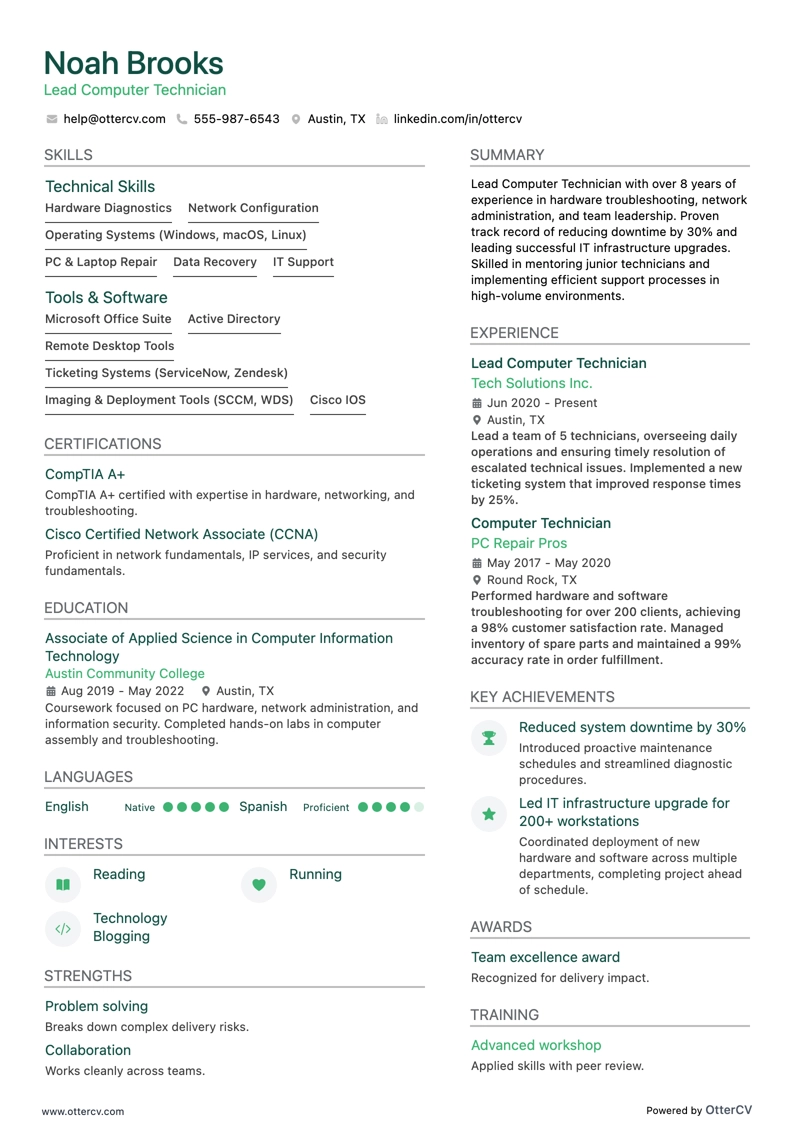
Lead Computer Technician resume example

Lead Computer Technician

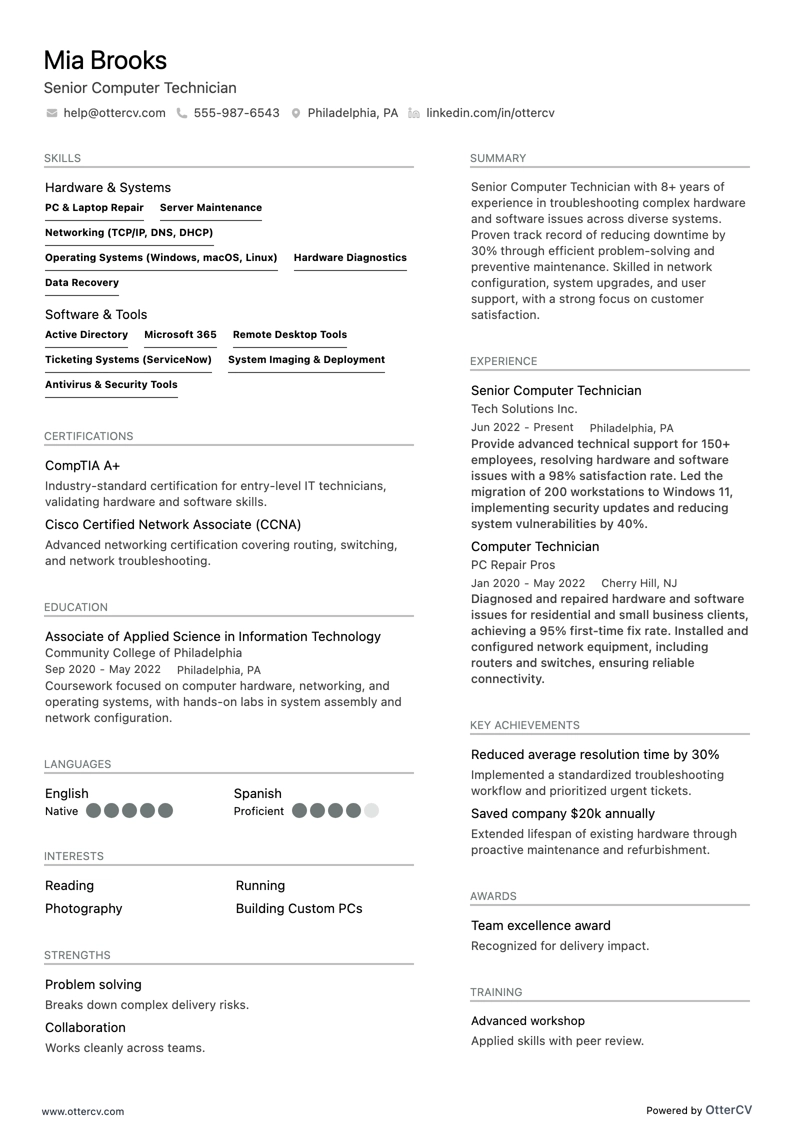
Senior Computer Technician resume example

Senior Computer Technician

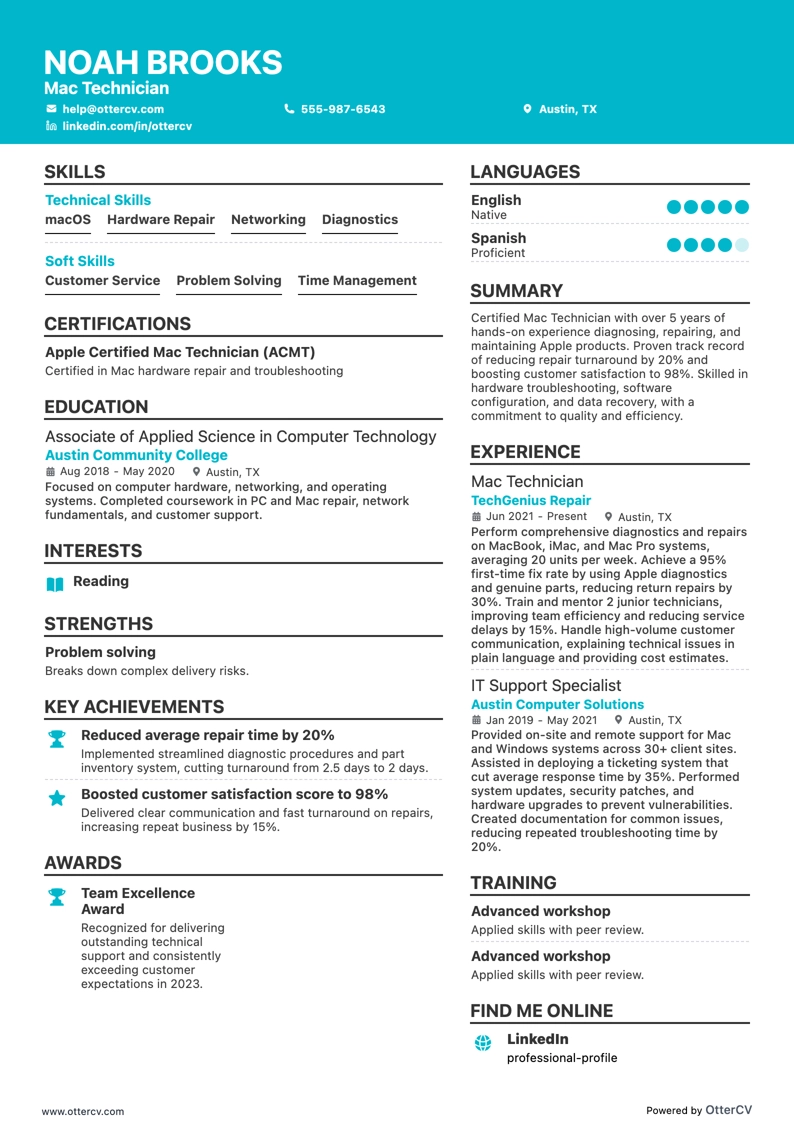
Mac Technician resume example

Mac Technician

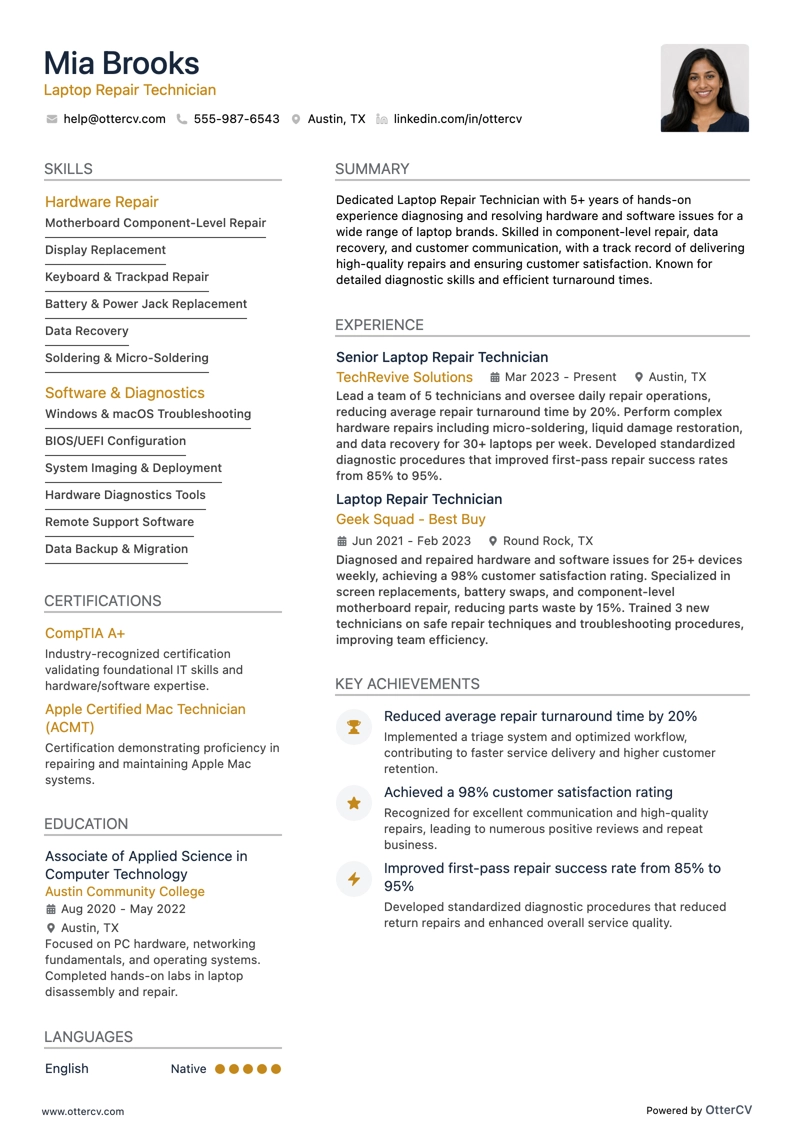
Laptop Repair Technician resume example

Laptop Repair Technician

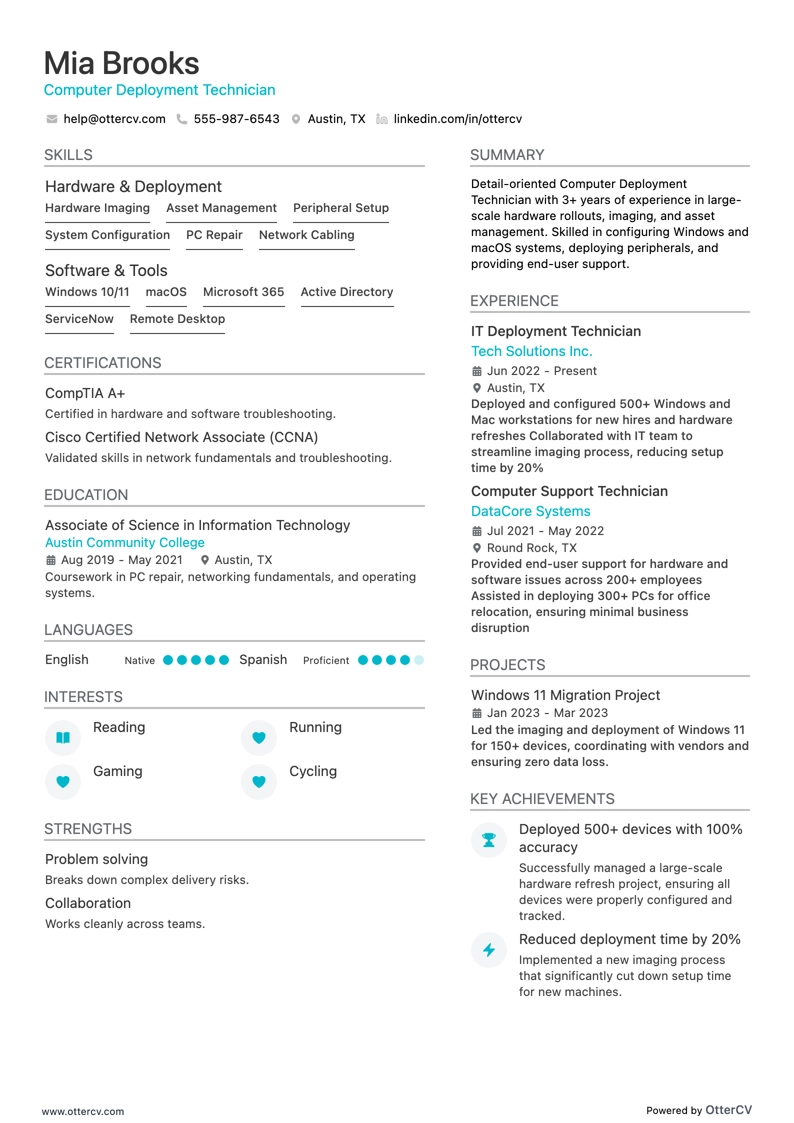
Computer Deployment Technician resume example

Computer Deployment Technician

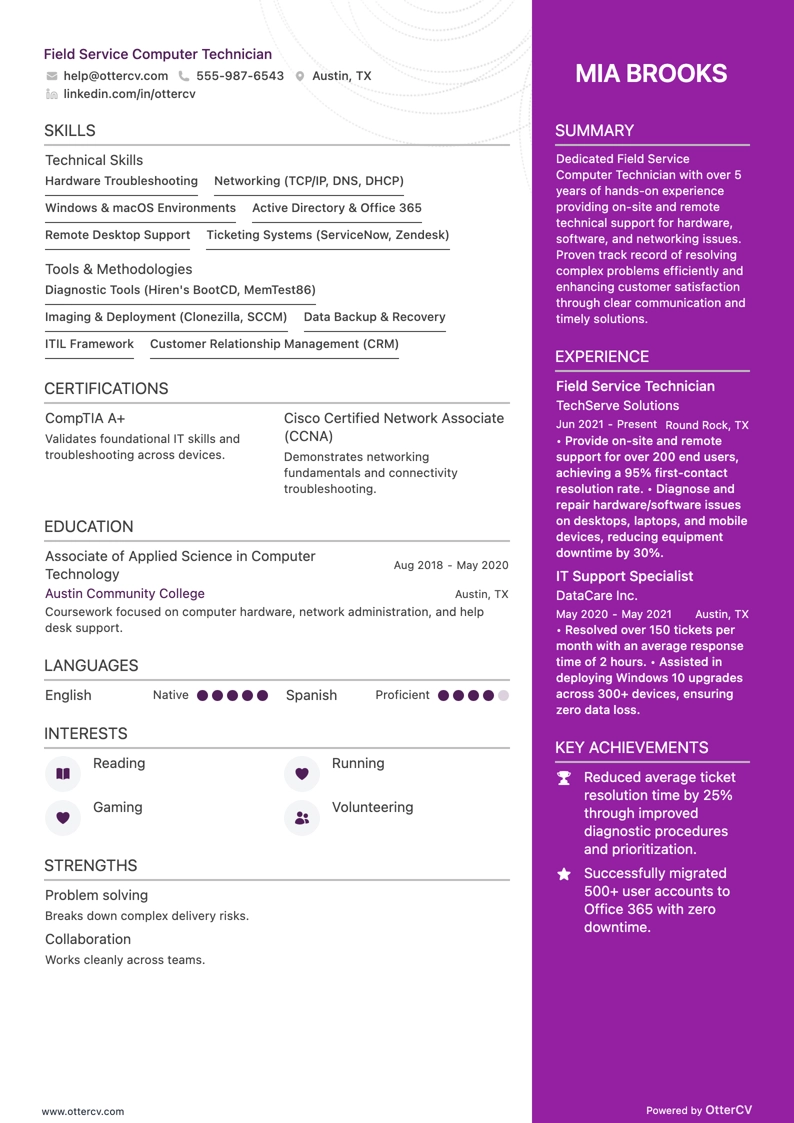
Field Service Computer Technician resume example

Field Service Computer Technician

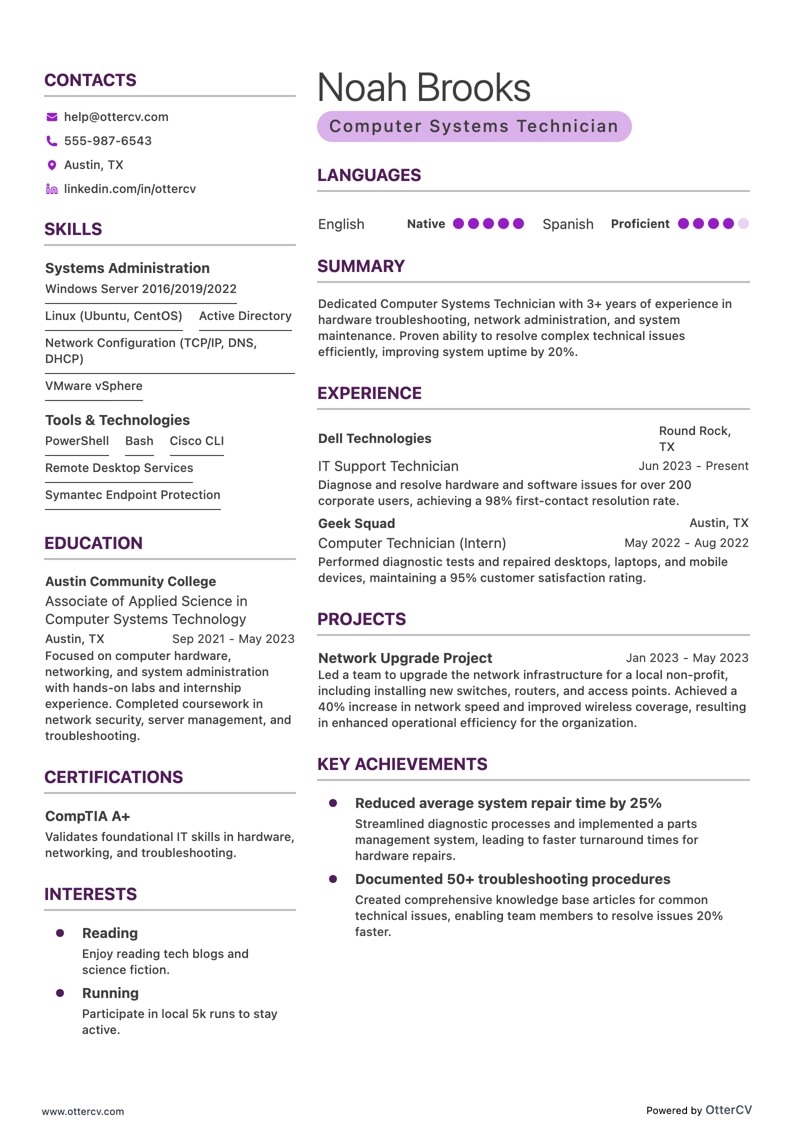
Computer Systems Technician resume example

Computer Systems Technician

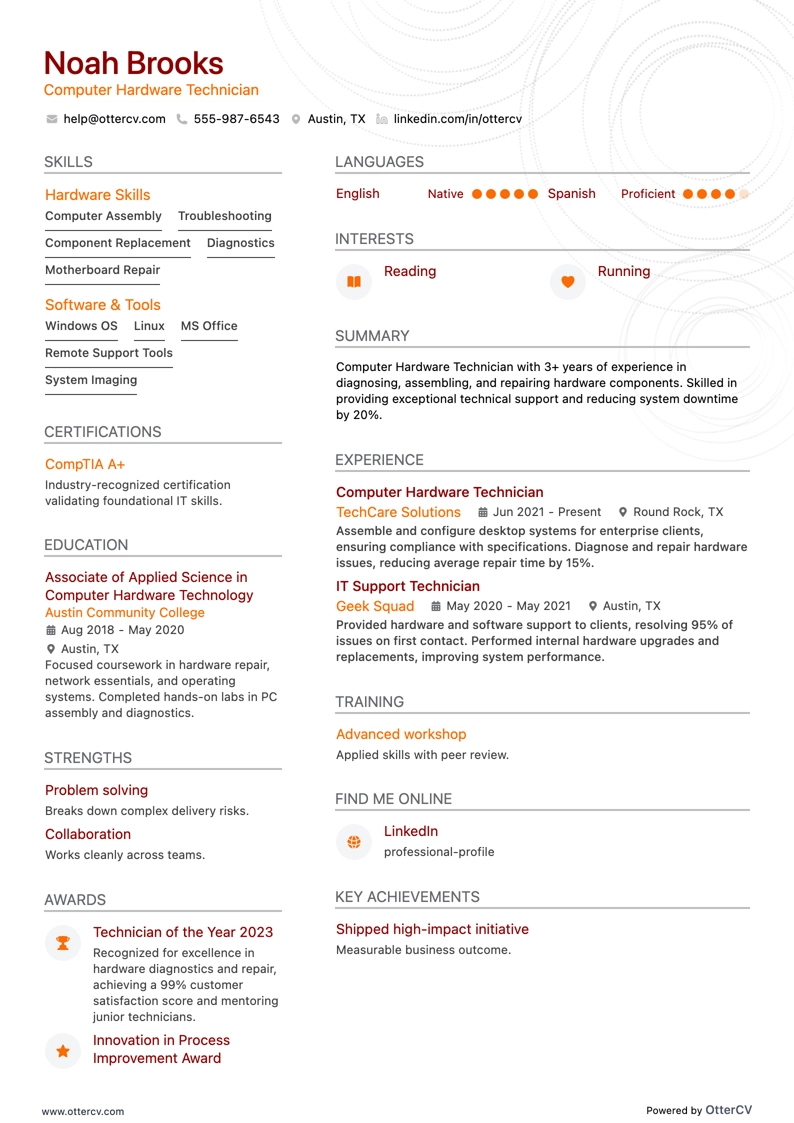
Computer Hardware Technician resume example

Computer Hardware Technician

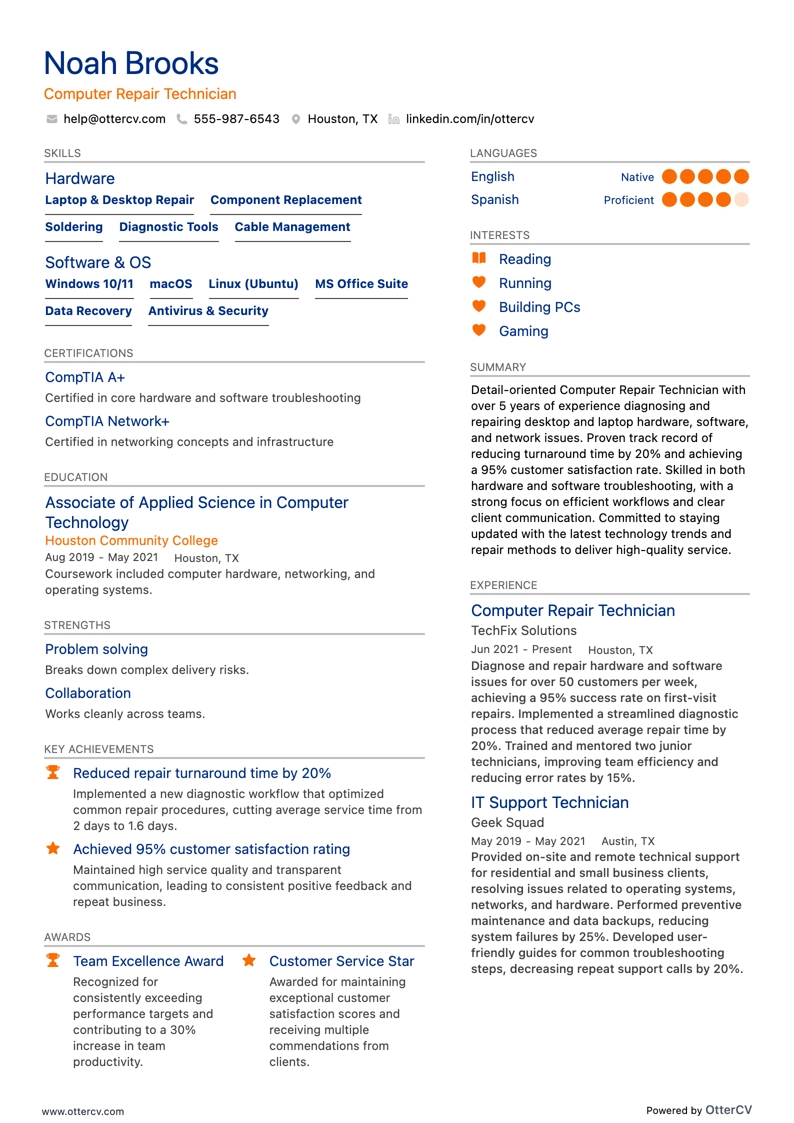
Computer Repair Technician resume example

Computer Repair Technician

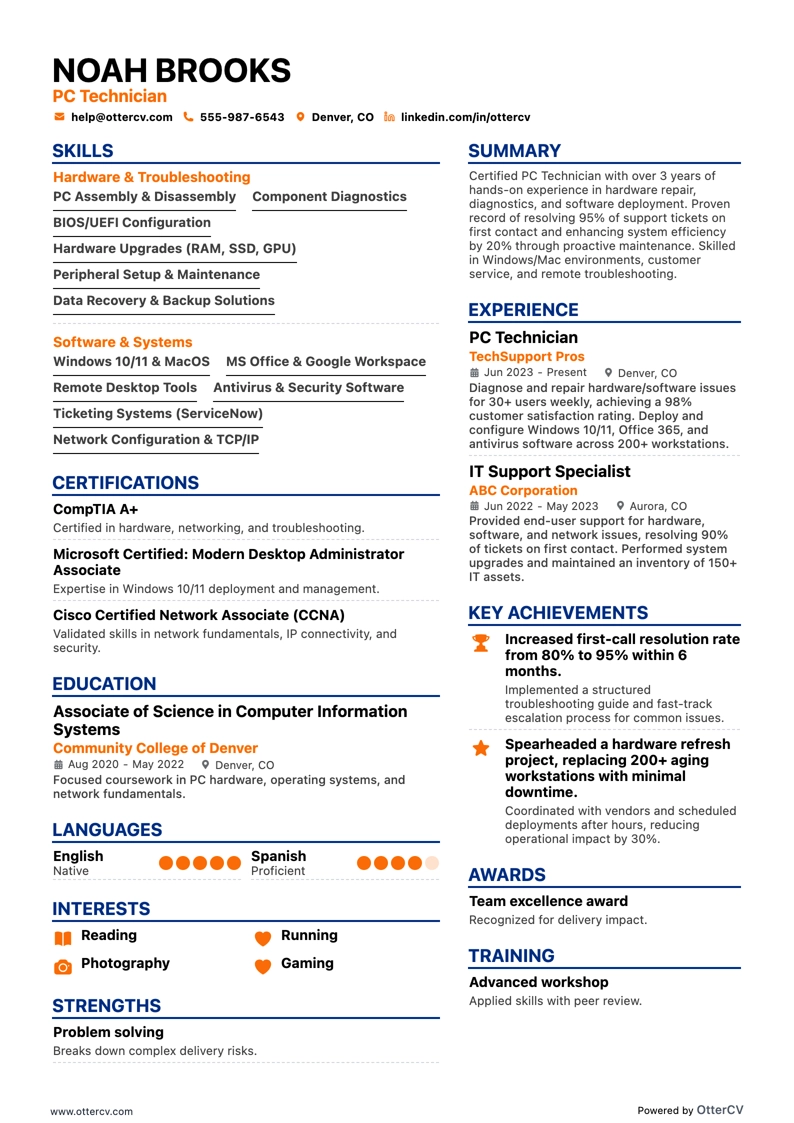
PC Technician resume example

PC Technician

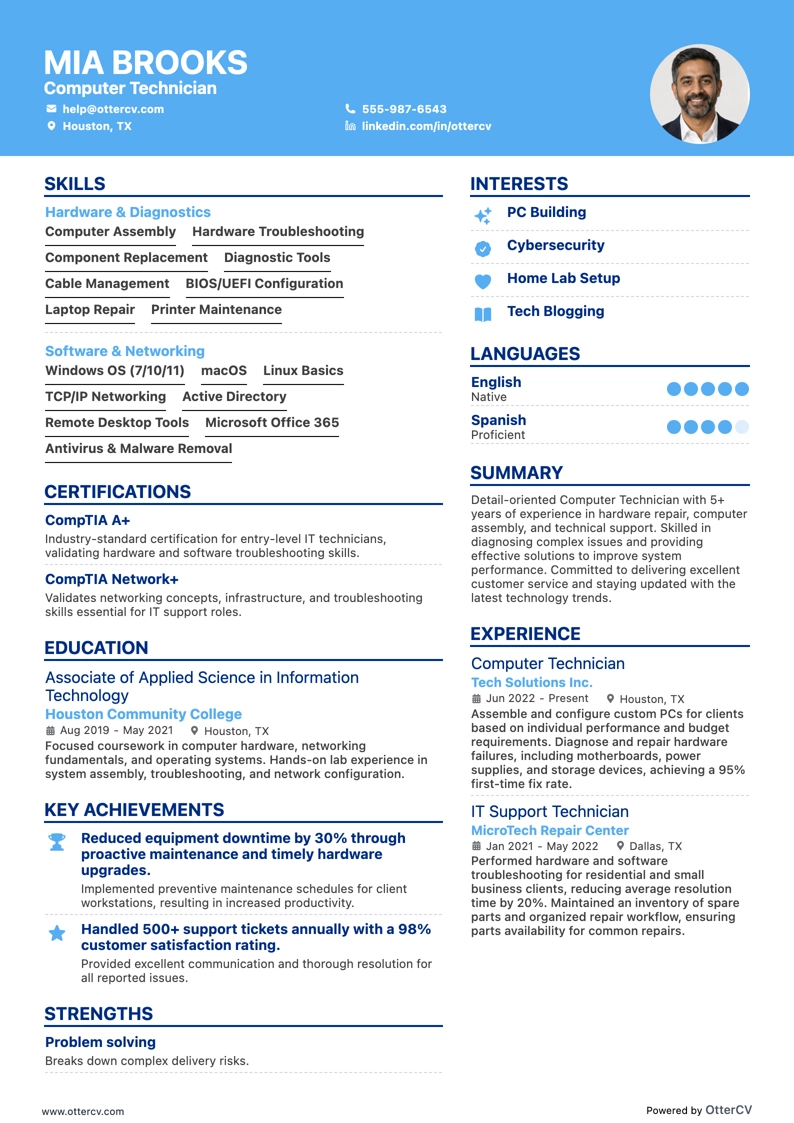
Computer Technician resume example

Computer Technician

As a computer technician, it can be difficult to present a broad technical skill set without relying too heavily on jargon. This guide shares practical strategies to explain your expertise in a way that is clear to non-technical hiring managers while still credible to industry professionals.

Echocv's experts cover best practices for a computer technician resume, including:

  • Effective computer technician resume samples that reflect both experience and skills.
  • 10+ simple but impactful ways to tailor your computer technician resume to a job advert.
  • How to use your professional achievements to show your unique value as a computer technician candidate.
  • Why education and certifications still matter, with practical guidance on how to present them well.

If a computer technician resume is not the right fit for you, you can also explore these related guides:

How to style your computer technician resume: layout and format

Your computer technician resume should usually be one to two pages long. A two-page resume is appropriate if you have more than a decade of relevant experience.

Your resume format also plays an important role in how your experience is presented. Consider using:

  • Reverse-chronological format to emphasize your work experience.
  • Functional, skill-based format if you have less experience and want to highlight your skills.
  • Hybrid format to help recruiters quickly understand both your experience and your skills.

Keep these additional layout tips in mind:

  • Use a simple headline that includes the job you are applying for or your current role, a certificate abbreviation, or your professional area of interest.
  • Tailor your computer technician resume to each role by matching the job requirements to your experience across relevant resume sections.
  • Download your resume as a PDF unless the employer asks for another file type, so readability and layout stay consistent.

Also tailor your resume format to the job market. For example, a Canadian resume may follow a different layout.

PRO TIP

If you did not obtain one of the required certificates but still choose to mention it on your resume, add a clear note stating that you have the relevant training and plan to re-take the exam.

Include the actual date of your planned re-examination, and always be honest on your resume.

Ensure your computer technician resume stands out with these mandatory sections:

  • Header - Include your contact details, portfolio, and potentially your current role.
  • Summary or objective - Show how your achievements align with your career goals.
  • Experience - Demonstrate the technical and personal know-how required for the role.
  • Skills - Highlight the capabilities that matter most to the computer technician job advert and your application.
  • Certifications/Education - Show that you stay up to date with industry trends.

What recruiters want to see on your resume:

  • Expertise in troubleshooting and repairing hardware and software issues.
  • Proficiency in operating systems such as Windows, MacOS, and Linux.
  • Experience with network setup, configuration, and security.
  • The ability to deliver excellent customer service and technical support.
  • Certifications such as A+, Network+, or other relevant IT credentials.

Quick guide to your computer technician resume experience section

Once you have chosen your resume format, the next step is to organize your experience in its dedicated section.

Many computer technicians find this part challenging, whether they have too much experience or very little.

Use these general rules of thumb when writing your experience section:

  • Keep each experience entry to no more than six bullet points.
  • Focus not only on responsibilities, but on the most relevant achievements for each role that align with the job requirements.
  • Include any certificates or technical skills you gained on the job and explain how they helped you grow professionally.
  • Choose strong action verbs for each bullet point. Avoid generic terms like managed and use verbs that reflect your actual responsibilities.
  • Incorporate important keywords from the job posting into the achievements listed under each role.

If you want more guidance on writing your computer technician experience section, review ideas from real-world professional resumes.

Computer Technician Experience Examples

  • Senior Computer Repair Technician — Advanced Computer Specialist, Tech Solutions Inc. (01/2020-Ongoing) Managed complex hardware and software troubleshooting for over 300 corporate workstations, reducing system downtime by 45%. Implemented a new ticketing system that increased daily issue resolution efficiency by 30%, and conducted weekly cybersecurity training sessions to strengthen defenses against data breaches.
  • Computer Support Technician — Desktop Support Engineer, Dynamic Tech Corp. (06/2016-12/2019) Performed maintenance and upgrades on over 200 employee desktops, extending hardware lifecycle by 20%. Led an office-wide operating system migration with zero data loss and helped reduce operational costs by 10% through cost-effective hardware and software recommendations.
  • IT Technician — Network and Computer Systems Technician, Infinity Technologies LLC (03/2013-05/2016) Led deployment of a company-wide antivirus solution that reduced malware incidents by 60% across 500 endpoints. Maintained system configuration documentation to improve onboarding and supported network infrastructure that sustained 99.9% uptime for the fiscal year.
  • Help Desk Specialist — Computer Help Desk Technician, Quantum Tech Support (09/2011-02/2013) Resolved an average of 25+ technical queries per day and helped raise customer satisfaction scores by 15%. Contributed to the company Knowledge Base to reduce call handle time by 2 minutes per call and partnered with developers to support patches for 10 major software issues.
  • Computer Service Technician — PC Maintenance and Repair Technician, Electronix SuperStore (05/2009-08/2011) Repaired and upgraded over 1,000 customer computers while earning a 95% satisfaction rating for service quality and turnaround time. Used diagnostic software to speed up troubleshooting by 25% and worked with sales teams to increase departmental revenue by 18% through maintenance contract cross-selling.
  • Systems Technician — IT Systems Support Technician, GreenTech Innovations (04/2014-11/2017) Helped develop and deploy a centralized asset management system that improved asset tracking accuracy by 20%. Resolved an average of 30+ system alerts daily to maintain availability of business-critical systems and led sustainability efforts that reduced e-waste through a company recycling program.
  • Field Technician — Computer Field Service Technician, OnTheGo IT Solutions (07/2012-03/2014) Delivered on-site technical support to over 50 business clients, including hardware replacements, network setups, and data migration. Achieved a 98% first-visit resolution rate and helped complete a large-scale network overhaul project on time and under budget.
  • Technical Support Analyst — Computer Technical Support Specialist, Reliable Computing Services (10/2017-12/2023) Supported the design and rollout of a user self-service portal that reduced incoming tickets by 35%. Managed the end-user side of a major software upgrade for over 400 users and recommended process improvements that improved response times by 20%.

The following content includes information from O*NET OnLine by the U.S. Department of Labor, Employment and Training Administration (USDOL/ETA), used under the CC BY 4.0 license. The data represents the top responsibilities listed in task lists for computer technician professionals.

Top Responsibilities for Computer Technician:

  • Reassemble machines after repairs are completed or parts are replaced.
  • Talk with customers to identify the details of equipment problems.
  • Disassemble machines to inspect parts such as wires, gears, or bearings for wear or defects using hand tools, power tools, and measuring devices.
  • Advise customers on equipment operation, maintenance, or programming.
  • Align, adjust, or calibrate equipment according to specifications.
  • Repair, adjust, or replace electrical or mechanical components using hand tools, power tools, or soldering or welding equipment.
  • Travel to customers' stores or offices to service machines or provide emergency repair service.
  • Maintain parts inventories and order additional parts needed for repairs.
  • Operate machines to test how parts or mechanisms are functioning.
  • Reinstall software programs or adjust existing software settings to fix machine malfunctions.

Quantifying impact on your resume

  • Quantify the number of technical support tickets you resolved each day to show efficiency and productivity.
  • List the percentage of uptime maintained across the systems you managed to highlight reliability and availability.
  • Include the number of hardware and software installations completed to demonstrate hands-on expertise.
  • Specify how much system downtime was reduced through proactive maintenance to illustrate problem-solving skills.
  • Detail the total number of users supported to show the scale and scope of your responsibilities.
  • State the size of the networks you set up and maintained to reflect experience with complex technical environments.
  • Mention the number of IT projects you led or contributed to as evidence of leadership and collaboration.
  • Present the savings achieved through vendor negotiations or process improvements to underscore cost efficiency.

Action verbs for your computer technician resume

At Echocv, we reviewed countless computer technician resumes to find the words candidates use to strengthen their resumes. Skip the buzzwords and use these action verbs to make your experience section stand out.

Read The Guide

What to do if you don't have any experience

Many candidates without relevant work experience apply for entry-level roles and still get hired.

Resumes with no experience often have these four elements in common:

  • They use a functional, skills-based format instead of a reverse-chronological one, which helps keep the focus on strengths and skills.
  • Transferable skills gained through work and life experience become the core of the resume.
  • The objective highlights career achievements, explains the reason for applying, and shows the unique value the candidate brings to the role.
  • The listed skills cover the basic job requirements while also showing any niche expertise.

Recommended reads:

  • When Should You Include Your High School on Your Resume?
  • How To List Certifications On A Resume (Examples Included)

PRO TIP

List all relevant higher education degrees on your resume in reverse chronological order, starting with the most recent.

In some cases, a PhD in a particular field can help you stand out from other candidates.

Popular computer technician hard skills and soft skills for your resume

Beyond evaluating your professional expertise, recruiters also want to see whether your skills match the role.

Your profile is typically assessed based on:

  • Hard or technical skills — your ability to do the job using specific technologies or software
  • Soft skills — how you adapt, communicate, and perform in different environments

Both hard and soft skills matter on your resume, so it helps to include a dedicated skills section that:

  • Lists five or six skills that closely match the job advert
  • Includes important industry keywords while still reflecting your personal strengths
  • Supports those skills with an achievements section that explains what you accomplished by using them
  • Quantifies how you used each skill whenever possible, since listing skills alone is not enough

What are the most sought-after hard and soft skills for computer technician roles?

Explore the industry's top picks in the two lists below.

Top skills for your computer technician resume:

HARD SKILLS
  • Computer Hardware Troubleshooting
  • Operating Systems Installation
  • Network Configuration
  • Virus and Malware Removal
  • Data Recovery Techniques
  • Peripherals Installation and Maintenance
  • Software Installation and Updates
  • Cable Management and Wiring
  • Remote Desktop Support
  • Diagnostic Tools Usage
SOFT SKILLS
  • Problem-Solving
  • Communication
  • Customer Service
  • Time Management
  • Attention to Detail
  • Adaptability
  • Team Collaboration
  • Critical Thinking
  • Patience
  • Organization

Next, you will find information on the top technologies for computer technician professionals from O*NET OnLine by the U.S. Department of Labor, Employment and Training Administration (USDOL/ETA), used under the CC BY 4.0 license.

Top technologies for Computer Technician’s resume

  • Email software is a key technology to include.
  • Microsoft Outlook is commonly listed on Computer Technician resumes.
  • Microsoft PowerPoint is another relevant technology.
  • Linux experience is valuable to highlight.
  • UNIX knowledge is also important to mention.

PRO TIP

Mention specific courses or projects that are relevant to the job you’re applying for.

Qualifying your relevant certifications and education on your computer technician resume

Employers increasingly favor candidates whose skills closely match the role over those with only the "right" educational background.

That said, recruiters still care about your certifications.

Set aside space on your resume for relevant degrees and certificates by:

  • Including start and end dates to show your commitment to the industry
  • Naming the institutions to add credibility
  • Listing your most recent certificates first to show that you stay current with new developments
  • Highlighting the practical outcomes of your education, especially the skills you gained, if you choose to add more detail

If a degree or certificate is not relevant to the job, you can leave it out.

Some of the most popular certificates for your resume include:

The top 5 certifications for your computer technician resume

  • CompTIA A+ (A+) from the Computing Technology Industry Association.
  • Microsoft Certified: Windows 10 (MD-100) from Microsoft.
  • Cisco Certified Technician (CCT) from Cisco Systems.
  • Certified Information Systems Security Professional (CISSP) from (ISC)².
  • Apple Certified Mac Technician (ACMT) from Apple.

The content below includes information from O*NET OnLine by the U.S. Department of Labor, Employment and Training Administration (USDOL/ETA), used under the CC BY 4.0 license. The data represents the top associations for computer technician professionals.

Top US associations for a Computer Technician professional

  • CompTIA.
  • Electronics Technicians Association International.
  • International Society of Certified Electronics Technicians.

PRO TIP

Listing relevant degrees or certificates on your computer technician resume is a win-win. It signals your technical capabilities while also suggesting valuable soft skills such as perseverance, adaptability, and motivation.

Recommended reads:

  • How to List a Major & Minor on Your Resume (with Examples)
  • Perfecting the Education Section on Your Resume

Computer technician resume summary or objective? The best choice depends on your experience

If you're wondering whether a resume summary or a resume objective is more relevant for your computer technician application, here's the answer.

Both options give recruiters a quick snapshot of your expertise and accomplishments, usually in up to five sentences.

The key difference is:

  • Resume objective: Focuses more on your career goals. It is often a better fit for more junior candidates who want to balance relevant experience with future direction.
  • Resume summary: Gives you more room to highlight your accomplishments and the unique value you bring. Computer technician candidates with several notable achievements often lead with a summary.

Whichever option you choose, make sure it presents your computer technician expertise clearly and aligns with the job advert.

The more specific details and numbers you include, the more compelling your summary or objective will be.

Real-world computer technician candidates often follow these frameworks when writing their resume summaries and objectives.

The end results usually look like this:

Resume summaries for a computer technician job

  • Computer technician with over 8 years of experience in repair, maintenance, and network troubleshooting, with a record of reducing downtime and improving system functionality at TechSolutions Inc.; skilled in deploying and managing Windows and Linux systems and developing custom automation scripts to improve IT efficiency.
  • Computer technician with 10+ years of field experience specializing in hardware diagnostics, software troubleshooting, and cybersecurity, recognized for implementing a data recovery protocol that salvaged critical data for a Fortune 500 company and strengthened digital infrastructure resilience.
  • Transitioning from a successful 6-year career in electrical engineering, I bring strong analytical and problem-solving skills, along with experience managing complex circuitry and automation systems, to deliver high-level computer hardware and software maintenance and support.
  • Bringing a decade-long background in customer service into IT, I aim to use strong communication skills and quick learning ability to excel in computer system troubleshooting and grow in a computer technician role in fast-paced environments.
  • As an entry-level candidate with a recent Associate’s Degree in Computer Science, I am ready to apply my knowledge of programming, networking, and hardware assembly in a practical computer technician role while learning from experienced professionals and contributing through consistent skill development.
  • Recently certified in CompTIA A+ with a foundational understanding of IT infrastructure, I am committed to applying my technical knowledge and problem-solving skills in a hands-on computer technician role while delivering strong support and continuing my IT education.

Average salary info by state in the US for computer technician professionals

Local salary information for computer technicians. Source: My Next Move, National Center for O*NET Development. Accessed 10/15/2024.

Average Salary by State

StateAverage Salary (in USD)
US National Average$45,760
California (CA)$49,680
Texas (TX)$39,230
Florida (FL)$41,000
New York (NY)$57,670
Pennsylvania (PA)$40,890
Illinois (IL)$43,480
Ohio (OH)$44,360
Georgia (GA)$42,640
North Carolina (NC)$47,730
Michigan (MI)$39,440

Beyond your computer technician resume basics: extra sections

Help your computer technician resume stand out by adding a few supplementary sections that highlight your strengths and interests:

  • Prizes — to spotlight recognition that matters in the field.
  • Projects — especially those that directly strengthen your application.
  • Hobbies — include them only if they improve your chances by adding relevant personality.
  • Community impact — to show the causes you care about.

Key takeaways

  • Use a simple, easy-to-read resume format that reflects your experience and aligns with the computer technician role.

  • Be specific in the top one-third of your resume, including the header and summary or objective, to show why you are the ideal candidate.

  • Tailor the content to the job by highlighting relevant skills, achievements, and the actual results of your work.

  • Include your certifications and technical capabilities to demonstrate your aptitude with specific software and technologies.

  • Choose resume sections that clearly reflect both your professional expertise and your personality.

Computer Technician resume examples

Explore additional Computer Technician resume samples and guides and see what works for your level of experience or role.

By Experience

Lead Computer Technician

Lead Computer Technician resume preview

Senior Computer Technician

Senior Computer Technician resume preview

Computer Technician resume examples

Explore additional Computer Technician resume samples and guides and see what works for your level of experience or role.

By Role

Mac Technician

Mac Technician resume preview

Laptop Repair Technician

Laptop Repair Technician resume preview

Computer Deployment Technician

Computer Deployment Technician resume preview

Field Service Computer Technician

Field Service Computer Technician resume preview

Computer Systems Technician

Computer Systems Technician resume preview

Computer Hardware Technician

Computer Hardware Technician resume preview

Computer Repair Technician

Computer Repair Technician resume preview

PC Technician

PC Technician resume preview

Computer Technician

Computer Technician resume preview